Vendor HAL Analysis
This page defines the Echidna workflow for Samsung and other common Android audio
HALs. It is driven by the repository spec.md, especially the native-first audio
stack requirements and the compatibility-wizard requirement to report HAL vendor
facts honestly.
The important boundary: static firmware analysis can identify likely audio surfaces,
but it cannot prove that a live app is routed through them. Current Audio HAL and
AudioFlinger managers return unsupported_injection_boundary; this analyzer does not
turn them into supported routes.
Goal
Research future vendor-HAL coverage without guessing from one emulator or one phone. The current supported tool is a read-only analyzer that can consume extracted firmware, vendor partitions, or adb-collected snapshots and produce a JSON report.
The analyzer does not patch a device, change SELinux, flash modules, or generate offsets. It ranks evidence so a developer can decide which rooted-device validation to run next.
Plan
- Static dump inventory. Scan
/system,/system_ext,/vendor,/odm, and/productfor build properties, audio libraries, policy files, mixer paths, asound data, and kernel config hints. - Vendor classification. Classify the dump as Samsung Exynos, Samsung Qualcomm, generic Qualcomm, MediaTek, Google Tensor, Android Emulator, or unknown. Keep Samsung Exynos and Samsung Qualcomm separate.
- Hook-surface ranking. Match known audio symbols and strings for AAudio,
OpenSL ES, native
AudioRecord, AudioFlinger record paths, tinyalsa PCM reads, HIDL audio services, AIDL audio services, andaudio_stream_inHAL reads. - Risk labeling. Mark app-process candidates separately from
audioserveror vendor-service candidates. App-process Zygisk evidence is not the same as audio-service proof. - Device validation. Use the JSON report to pick target apps, target processes, and logs to collect. Confirm live hook attempts through Echidna telemetry.
- Design review. Only after repeated device evidence should a separate service-side design be proposed. It must own injection, stable PCM metadata, stream lifecycle, and vendor tests; do not add private offsets to the current app-process manager.
- Documentation and release gating. Each confirmed vendor path must update verification docs with the device model, SoC, Android version, Magisk version, target app, hook surface, and pass/fail evidence.
Analyzer
Run the static analyzer against an extracted firmware or adb snapshot:
sh
python tools/analyze_audio_hal_dump.py /path/to/extracted-root \
  --output out/audio-hal-analysis.json
The report contains:
| Field | Meaning |
|---|---|
device |
Manufacturer, model, board platform, API level, and ABI list from props. |
vendorProfile |
Best-matching profile and the evidence that selected it. |
libraries |
Audio-related libraries, ELF architecture, role, symbols, and scope. |
hookCandidates |
Ranked AAudio/OpenSL/AudioRecord/AudioFlinger/tinyalsa/HAL surfaces. |
kernelSignals |
Audio policy, mixer path, asound, and kernel config hints. |
warnings |
Reasons the dump is incomplete or only statically suggestive. |
recommendations |
Next live-device checks to run. |
The analyzer intentionally accepts incomplete dumps. A missing symbol is a warning, not a failure. Many vendor builds strip symbols; in that case the next step is device-side map/log collection rather than inventing offsets.
Hook Probe Reports
Use the hook probe report tool when a dump should become a support issue or a reviewable device-database entry:
sh
python tools/build_hook_probe_report.py out/audio-hal-analysis.json \
  --diagnostics out/echidna-diagnostics.json \
  --output out/hook-probe-report.json
The optional diagnostics file is the companion app's diagnostic-internals export. It is opt-in gated and intentionally omits raw package names, preset IDs, device names, and per-sample timestamps.
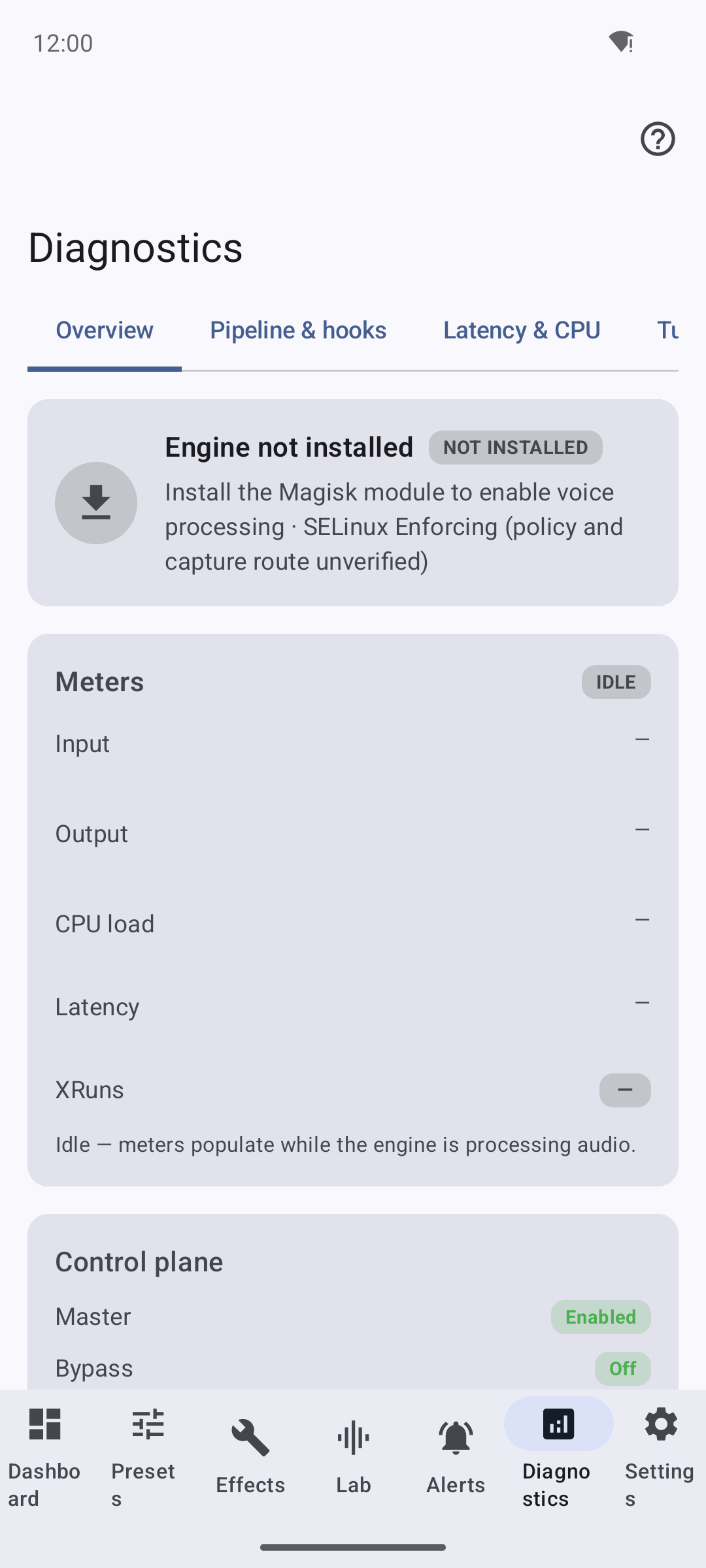
The report tool combines that runtime evidence with static analyzer candidates and emits:
| Field | Meaning |
|---|---|
deviceKey |
Stable hash of device identity fields, without raw model strings. |
libraryEvidence |
Library role/scope/surface evidence plus identity hashes. |
runtimeEvidence |
Sanitized hook attempts, successes, callback count, and action codes. |
deviceDatabaseEntry |
Review-gated entry shape for future internal support data. |
githubIssue |
Privacy-safe issue title/body that can be pasted into GitHub. |
The database entry includes an empty offsetProfiles list by default. Populate
offset profiles only after the same device key, active ABI, library identity hash,
and live hook telemetry are all confirmed. An unreviewed report must never make
the runtime hook path apply offsets automatically.
Public Symbol Baseline
The native hook list must start with public or dump-observed symbols before any per-build offsets are considered:
- AAudio: hook
AAudioStreamBuilder_setDataCallbackfor callback registration, plusAAudioStream_read/AAudioStream_writefor blocking paths. The AAudio data callback is a registered function pointer, not a public exported symbol. - OpenSL ES: hook recorder callback registration / buffer queue paths when the
target process maps
libOpenSLES.so. - Native AudioRecord: exported JNI/C++ symbols are research candidates only. The current manager is developer-contract-only until a normal-flow PCM metadata source exists.
- tinyalsa: hook
pcm_readandpcm_mmap_readbyte-count APIs; hookpcm_readionly as a frame-count API when the vendor tinyalsa exposes it. - Legacy HAL:
audio_stream_in.readis a function pointer inside an audioserver/vendor stream. Static evidence is useful for research, but the current route is unsupported.
Offsets from the internet are not portable support. MediaTek HyperOS/MTK, Samsung Exynos, Qualcomm-derived Samsung builds, OnePlus/Oppo, and Tensor images must be treated as separate build fingerprints. Add an offset profile only when it is tied to a device model, SoC, Android build fingerprint, library build ID/hash, and live Echidna telemetry proving a separately reviewed injection design. The current module must not load or apply such offsets; report analyzer results as exploratory.
Samsung Workflow
Samsung needs two lanes because Exynos and Snapdragon builds differ even when the app UX and model family look similar.
Samsung Exynos
Collect:
vendor/build.prop,system/build.prop, andodm/build.prop/vendor/lib64/hw/audio.primary*.so/vendor/lib64/libtinyalsa.soif present/vendor/lib64/libaudio*.so/vendor/etc/audio_policy*.xml/vendor/etc/audio_platform_info*.xml/vendor/etc/mixer_paths*.xmldumpsys media.audio_flingerdumpsys media.audio_policy/proc/asound/cardsand/proc/asound/pcm/proc/<pid>/mapsfor the scoped target app,audioserver, and any Samsung audio vendor service
Expected static clues include ro.product.manufacturer=samsung,
ro.board.platform=exynos..., audio.primary.exynos..., IStreamIn,
audio_stream_in_read, or tinyalsa pcm_read strings.
Samsung Qualcomm
Collect the same files, but keep the analysis separate from Exynos. Expected static
clues include ro.product.manufacturer=samsung plus ro.board.platform values
such as kona, lahaina, taro, kalama, or sm..., and audio.primary.*
libraries that look Qualcomm-derived.
Do not transfer Exynos offsets to Snapdragon builds or vice versa. The analyzer will classify these as separate profiles even when both are Samsung devices.
Other Common HALs
Qualcomm Generic
Qualcomm-like dumps are identified from qcom, qti, msm, sm..., kona,
lahaina, taro, kalama, or similar board and library names. Useful candidates
are usually libaudioclient.so, libtinyalsa.so, and audio.primary.*.so.
MediaTek
MediaTek-like dumps are identified from mt..., mtk, or mediatek props and
paths. Expect more vendor-specific names and fewer stable exported symbols. Audio
policy and mixer path files matter because route names vary heavily by build.
Dimensity/MT6897 HyperOS builds fall into this lane: collect the dump and process
maps first, then decide whether the app process, audioserver, or a vendor audio
service owns the usable capture surface.
Google Tensor
Tensor-like dumps are identified from Google manufacturer props and gs101,
gs201, zuma, or related board values. These are useful arm64 validation
targets, but HAL proof still needs live audioserver or vendor-service evidence.
Android Emulator
Emulator profiles are useful only as smoke coverage. They do not prove Samsung, Qualcomm, MediaTek, Tensor, or physical-device SELinux behavior.
Kernel Analysis
Kernel data is supporting evidence, not the main hook surface. Useful kernel and driver signals are:
/proc/asound/cards/proc/asound/pcm/sys/kernel/debug/asoc/*when availableCONFIG_SND_SOC*and related audio config entries- compressed
/proc/config.gzfrom rooted devices
This helps identify ALSA card names, PCM endpoints, codec topology, and whether
the vendor path probably uses tinyalsa. It does not tell Echidna where to patch
AudioRecord, OpenSL ES, AudioFlinger, or HAL read functions.
Live research collection
After static analysis, collect read-only evidence on the rooted device:
sh
adb shell getprop > getprop.txt
adb shell dumpsys media.audio_flinger > audio_flinger.txt
adb shell dumpsys media.audio_policy > audio_policy.txt
adb shell cat /proc/asound/cards > asound_cards.txt
adb shell cat /proc/asound/pcm > asound_pcm.txt
adb shell pidof audioserver
adb shell cat /proc/$(adb shell pidof audioserver | tr -d '\r')/maps > audioserver_maps.txt
For each scoped target app:
```sh adb shell pidof com.example.target adb shell cat /proc/$(adb shell pidof com.example.target | tr -d '\r')/maps \
target_maps.txt ```
Then run the app's capture path and inspect Echidna telemetry. A real pass needs at least one successful hook attempt and callback/DSP evidence for the scoped process or audio service under test.
Output Interpretation
| Candidate scope | What it means | Release confidence |
|---|---|---|
app_process |
A target app may map the library directly. | Needs target-app telemetry. |
app_or_audio_service |
Could be app-local or service-local. | Needs process maps. |
audioserver |
Static evidence points to Android audio server code. | Needs service proof. |
audioserver_or_vendor_service |
Likely below app-process Zygisk. | Device-gated. |
unknown |
Audio-looking file without enough signal. | Exploratory only. |
Static high confidence means the dump contains strong symbols or paths. It does
not mean Echidna is known to hook that path live.
Research evidence rules
To make a vendor path reviewable for a future design, record:
- device model and SoC family
- Android version and API level
- ABI list and active Zygisk ABI
- Magisk version and Zygisk state
- target app and capture API when known
- matching analyzer report hash or stored JSON
- hook telemetry with install attempts and successes
- callback count and DSP routing evidence
- any SELinux denials or policy changes observed
Even with all fields present, document the result as a research signal until a separately reviewed audioserver/vendor injection boundary passes tests. Do not describe the current HAL/AudioFlinger route as supported.