Screenshots
This gallery is a visual, honest tour of the Echidna companion app: the first-run setup wizard, every main screen, and the new flows (in-app Help, the Lab local-DSP testbench, theming, alerts, widgets and the Quick Settings tile).
Capture environment (so the states are reproducible)
All shots below were taken from a freshly built debug APK on an unrooted
Android 14 (API 34) x86_64 emulator at 1080 x 2400, via
adb exec-out screencap. The emulator carries only a non-functional Magisk
stub (Zygisk disabled, no module installed), so every engine/root state
honestly reads Engine Not Installed. The Lab DSP engine
(libech_dsp.so) was compiled and packaged, so the Lab runs the real
in-process transform — that path needs no root. PNGs are palette-optimised
and committed (each well under 200 KB).
Honest state — what an unrooted capture can and cannot show
On this device the native engine is not installed and there is no working
Magisk/Zygisk. So: the Dashboard and Diagnostics report Engine Not
Installed, the Compatibility Wizard reports Magisk/Zygisk unusable and
su denied, the Quick Settings tile shows Unavailable, and the meters
rest idle. The Lab screens are the exception — they are a local
microphone + test-tone DSP proof running inside this app's own process. They
demonstrate that the DSP transform itself works; they are not interception
of any other app's audio, and they are not evidence of Magisk flashing or
LSPosed injection. Runtime proof of the native engine on a rooted device lives
in Verification.
First-run setup wizard
The 13-step wizard runs on first launch and is re-runnable from Settings -> Run setup again. Every step is skippable with a sane default, except the recovery acknowledgement.
Welcome
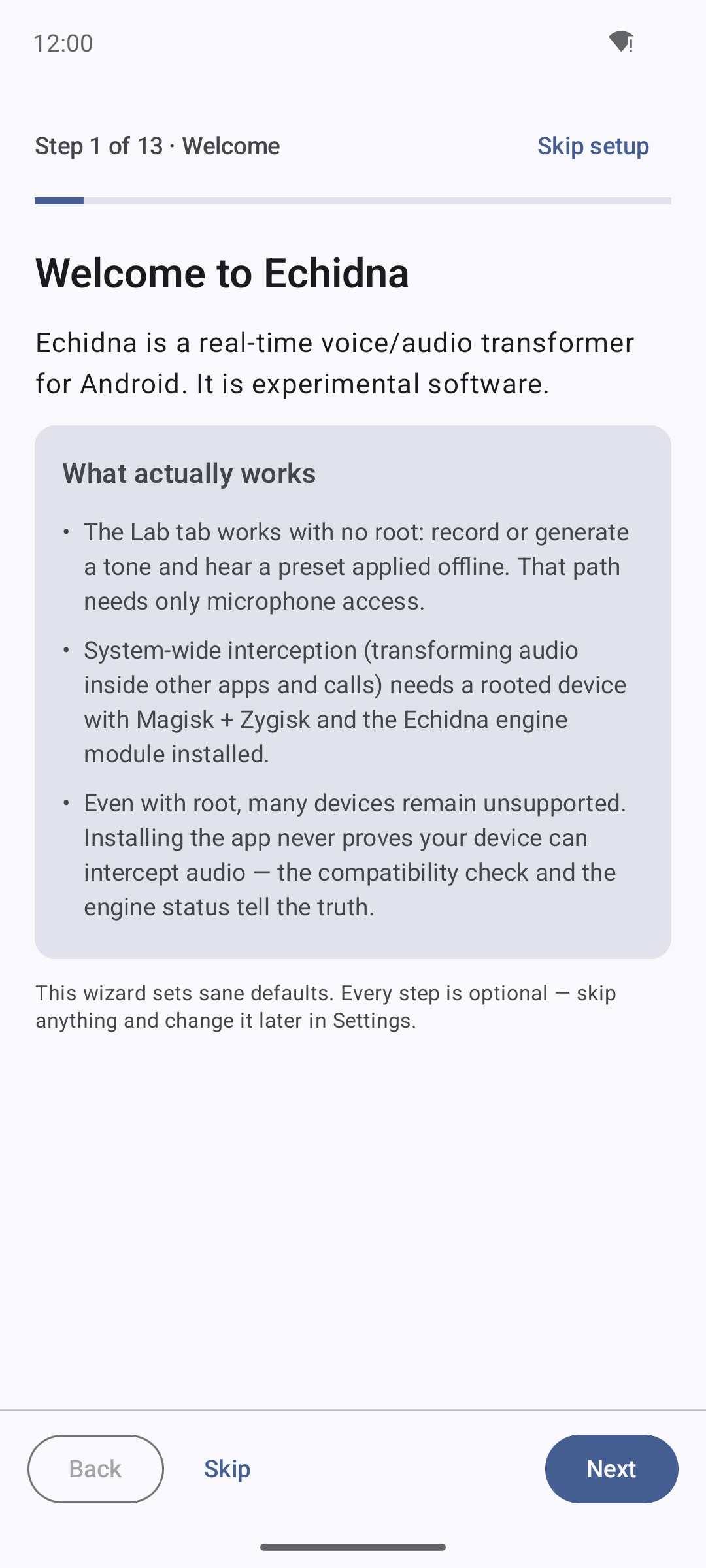
Step 1 sets honest expectations up front: the Lab tab works with no root; system-wide interception needs a rooted device with Magisk + Zygisk and the engine module; and installing the app never proves your device can intercept audio — the compatibility check and engine status tell the truth.
Permissions
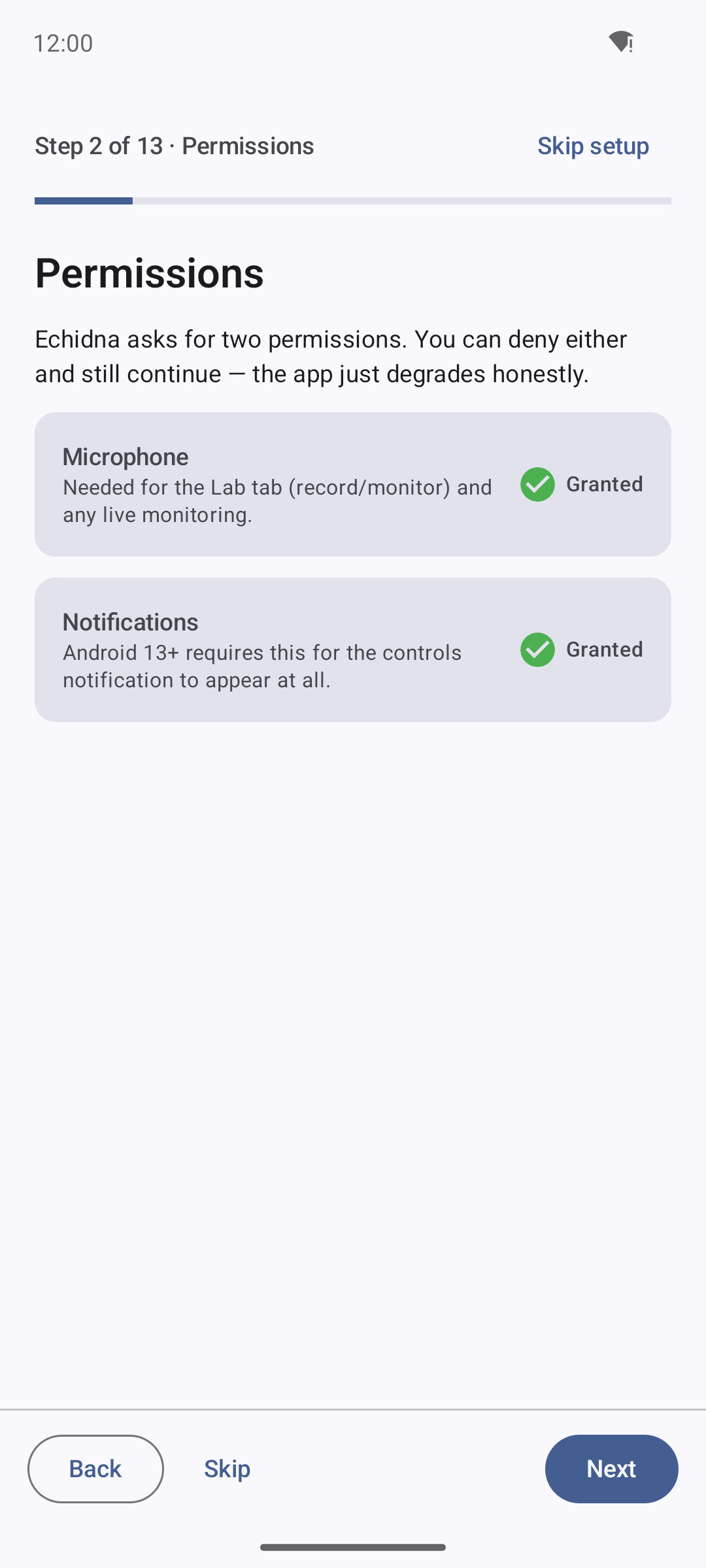
Step 2 requests Microphone (for the Lab and recording) and Notifications (for the controls notification). Either can be denied; the app degrades honestly.
Recovery acknowledgement (the one gated step)
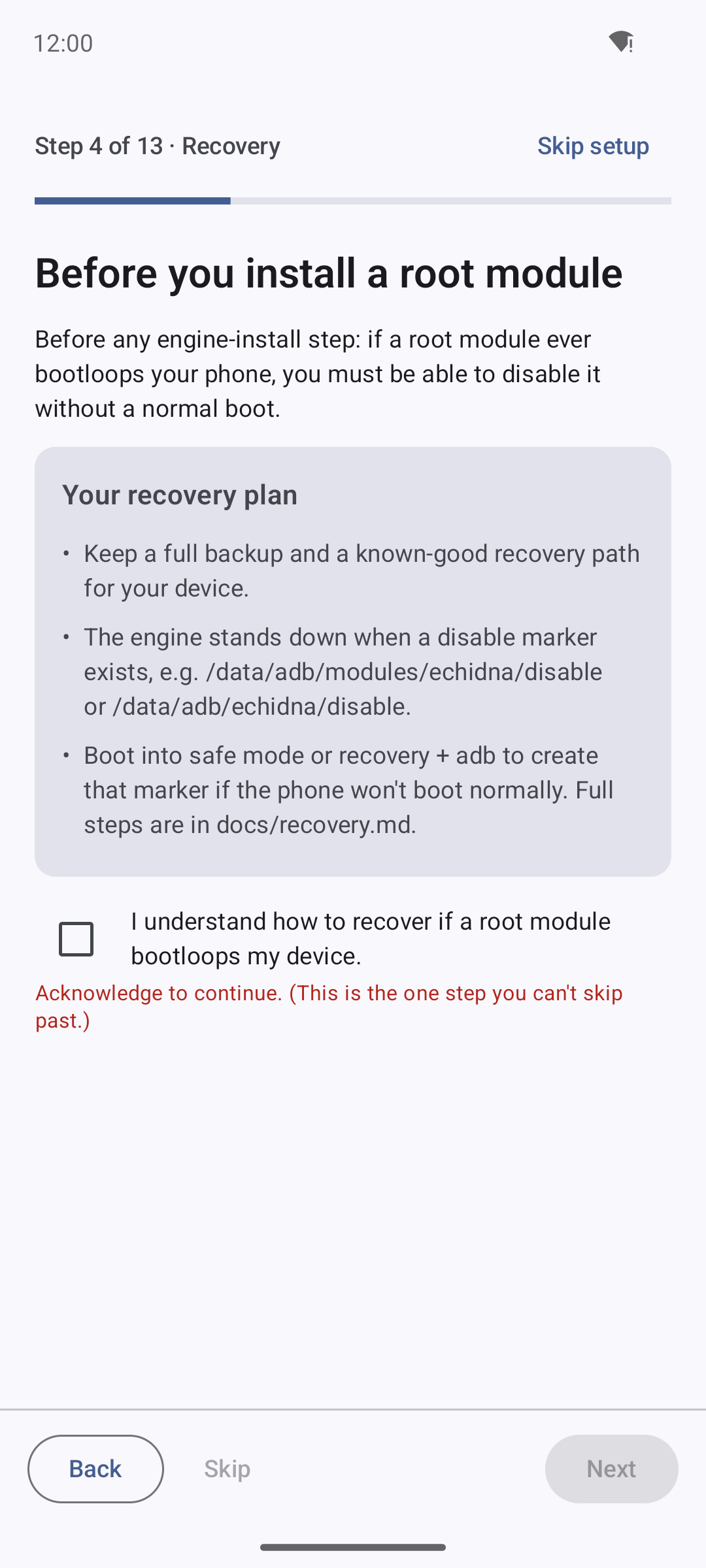
Step 4 is the only step you cannot skip. Before any engine-install flow, you
must tick "I understand how to recover if a root module bootloops my device."
Next stays disabled until you do. It points at the disable marker
(/data/adb/modules/echidna/disable) and recovery.md.
Interception engine
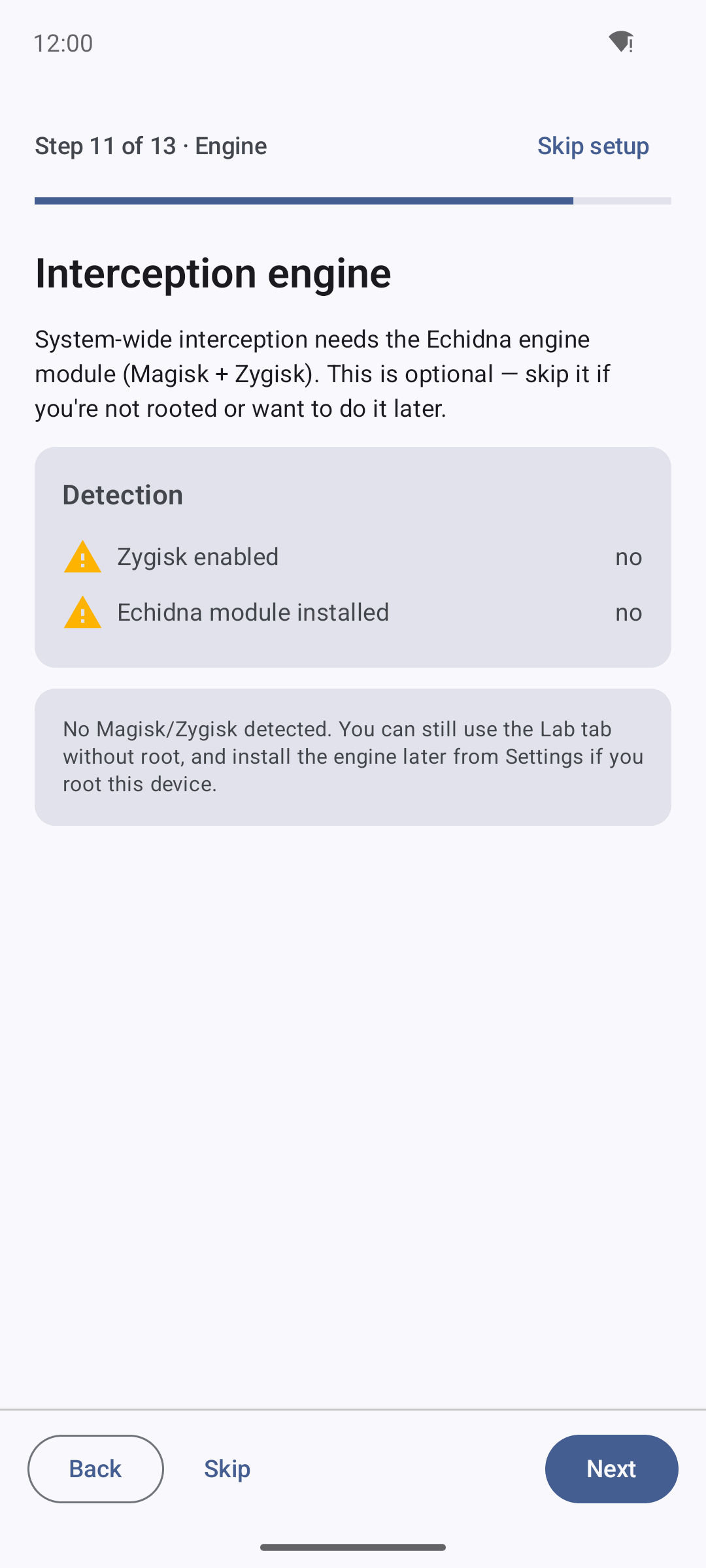
Step 11 is honest about system-wide interception: detection shows Zygisk enabled — no and Echidna module installed — no, and the copy confirms you can still use the Lab without root and install the engine later if you root the device. Nothing here claims an install succeeded.
Hear it work
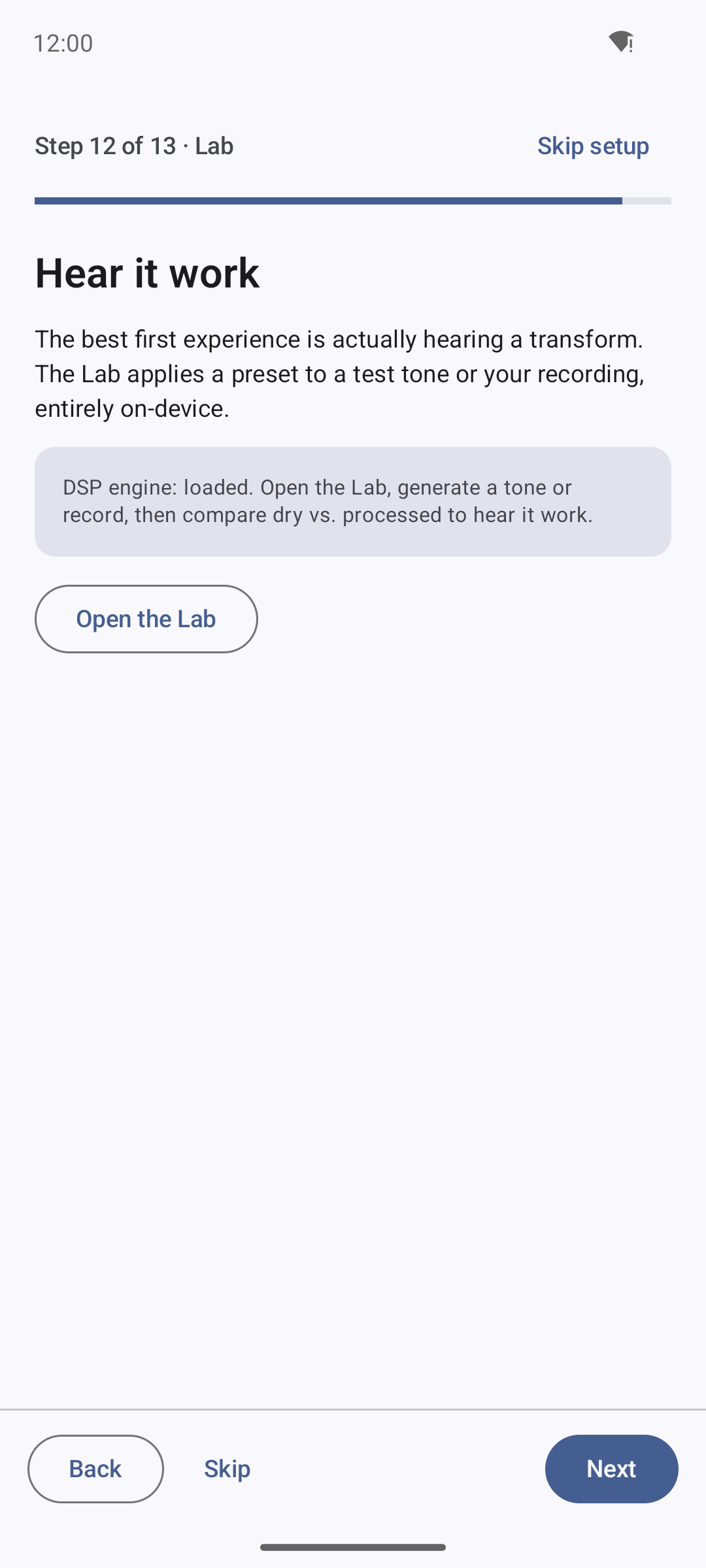
Step 12 points at the Lab — the real first experience. It reads DSP engine: loaded and offers Open the Lab to generate a tone or record and compare dry vs. processed, entirely on-device.
You're set up
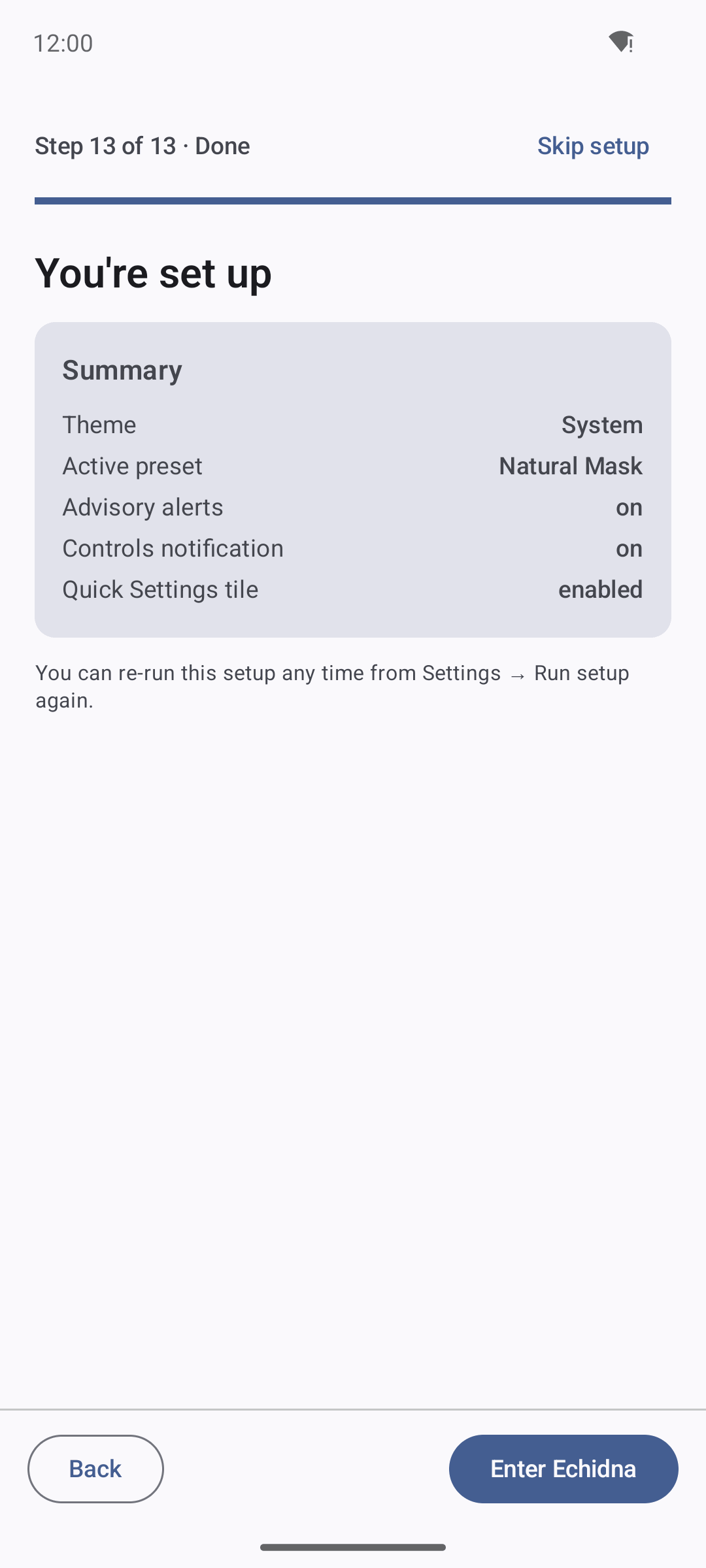
The finish step summarises the choices (theme, active preset, alerts, controls notification, Quick Settings tile) and hands off with Enter Echidna.
Dashboard
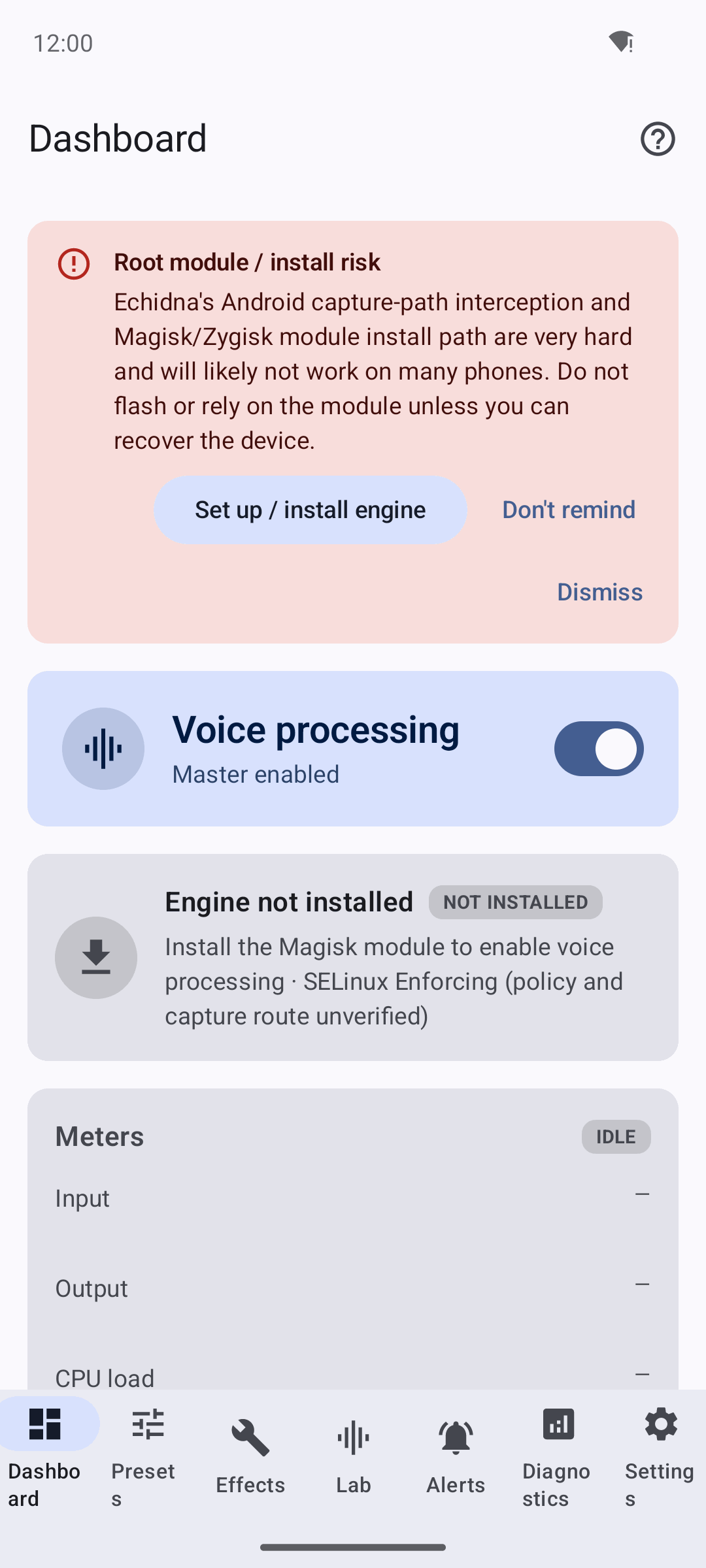
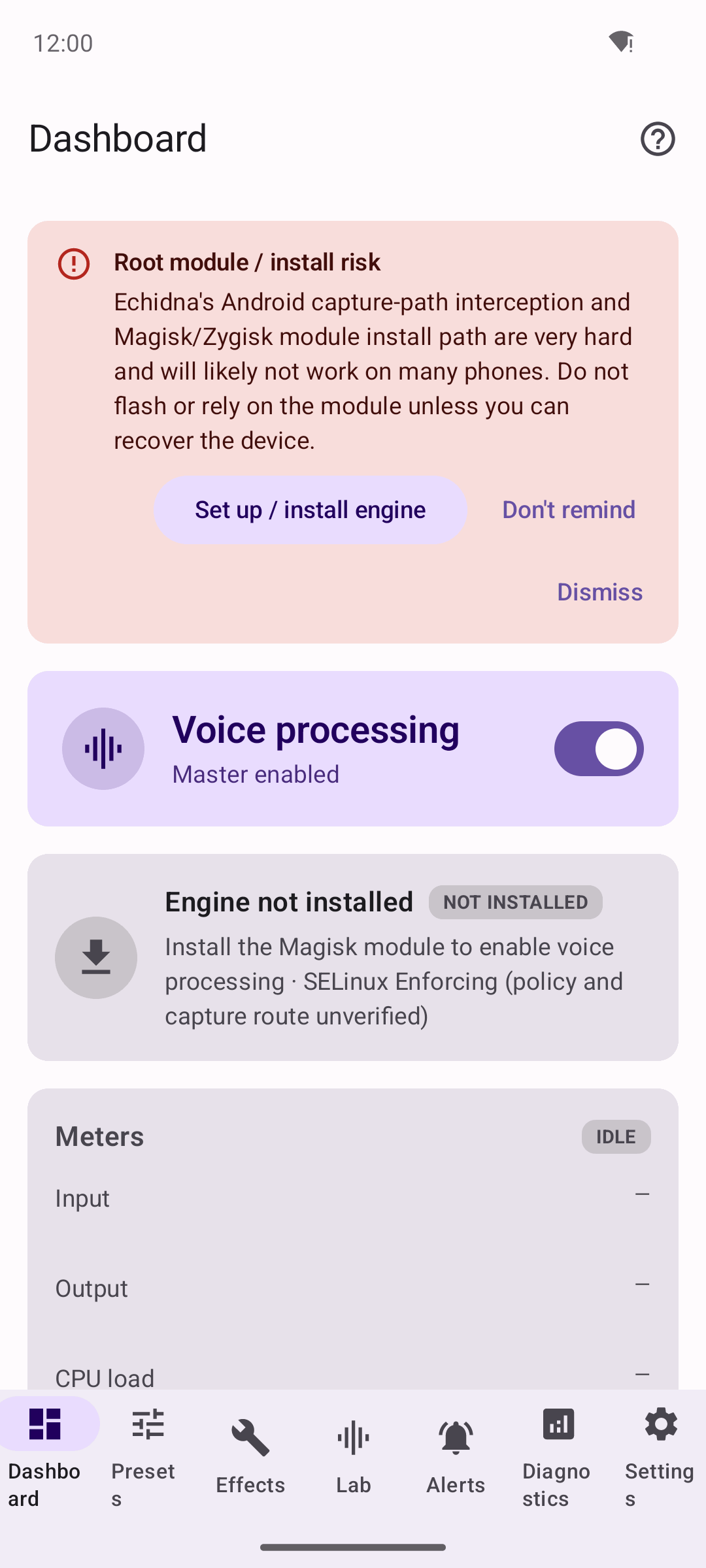
The app entry screen. The Voice processing master toggle is on, but the engine status card reads Engine not installed / NOT INSTALLED ("Install the Magisk module to enable voice processing · SELinux Enforcing"), and the meters sit IDLE. A red root-module / install-risk banner is shown by design.
Presets and effects
Preset Manager
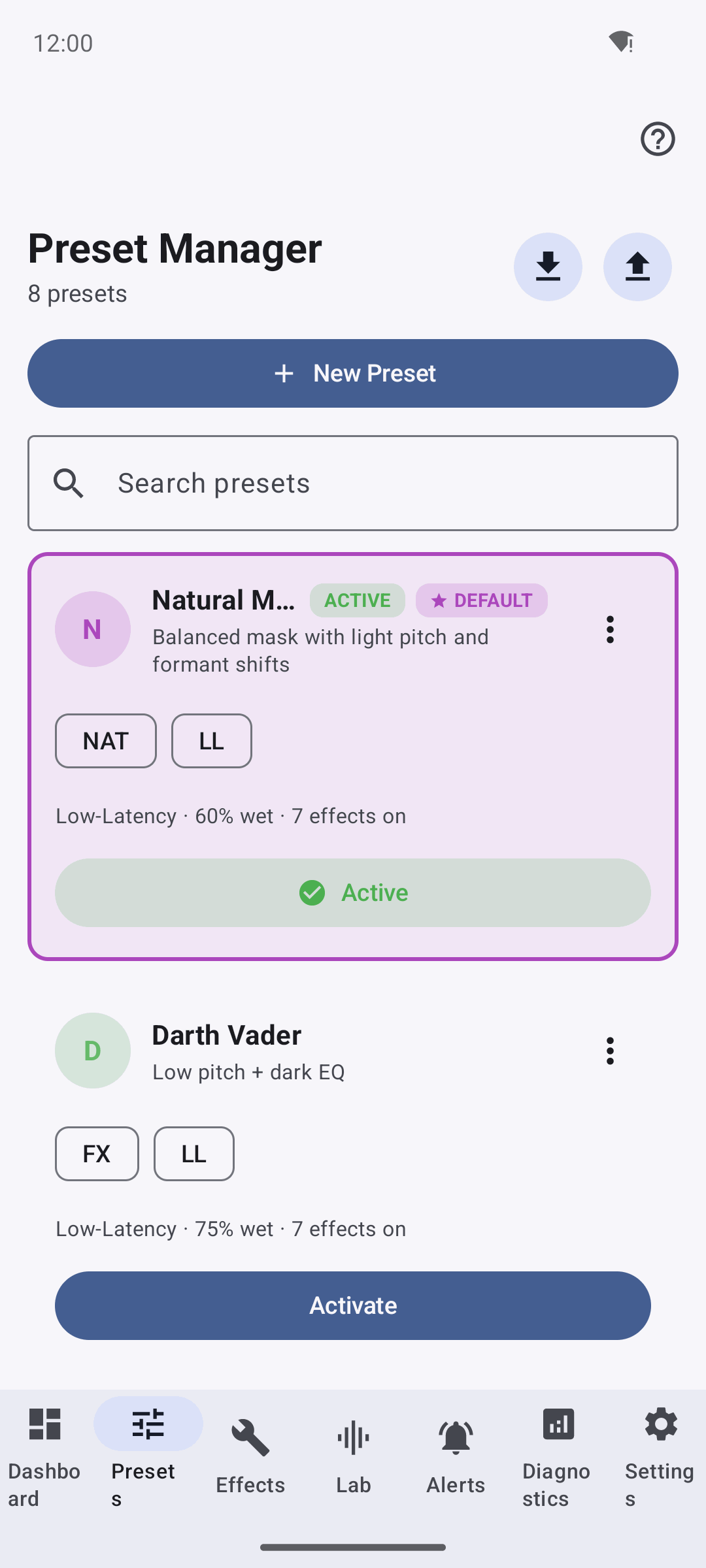
Eight built-in presets with Import / Export / New Preset and search. Natural Mask is ACTIVE and DEFAULT (Low-Latency, 70% wet, 7 effects on); Darth Vader sits below with an Activate action.
Effects chain
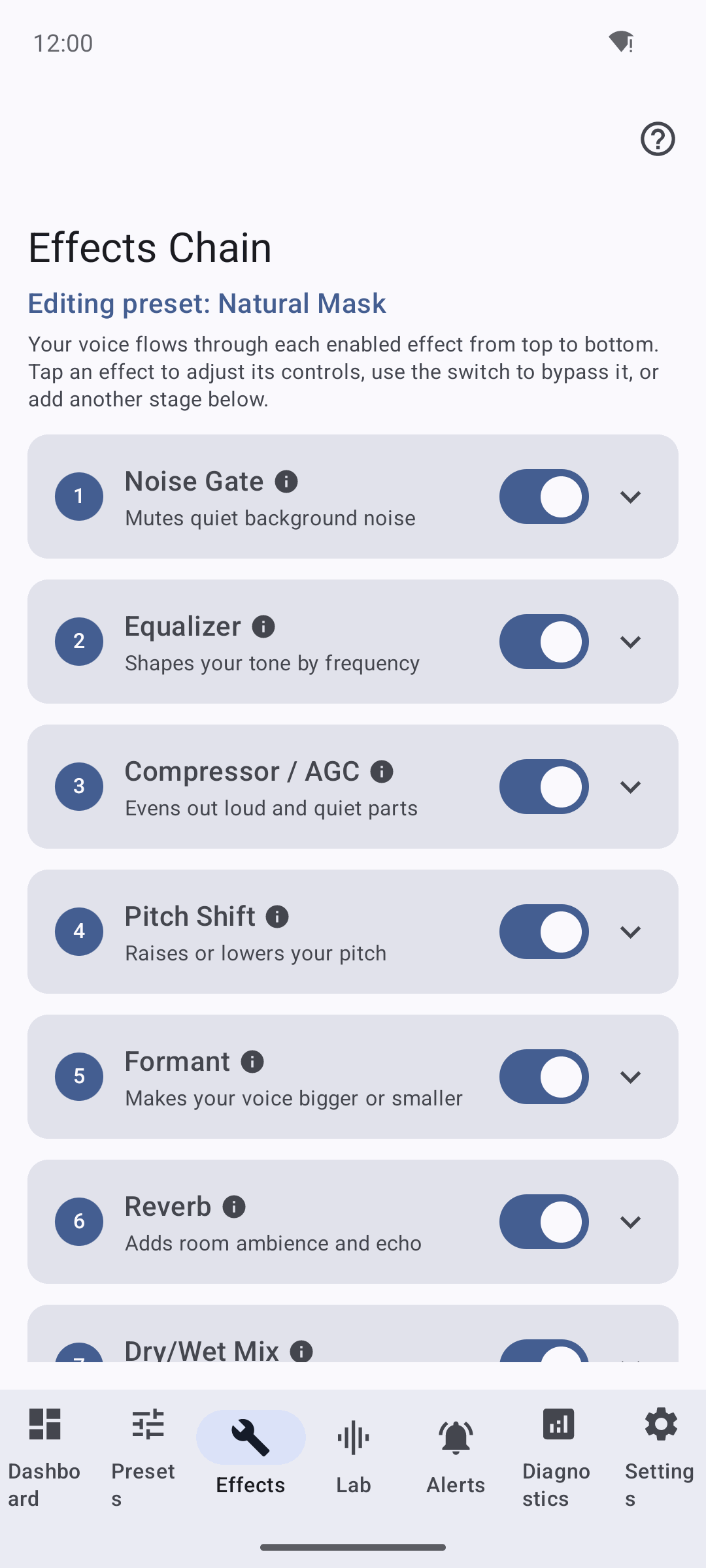
The full seven-stage chain for the active preset: Noise Gate, Equalizer, Compressor / AGC, Pitch Shift, Formant, Reverb and Dry/Wet Mix, each with a bypass switch and a plain-language description.
Pitch and formant
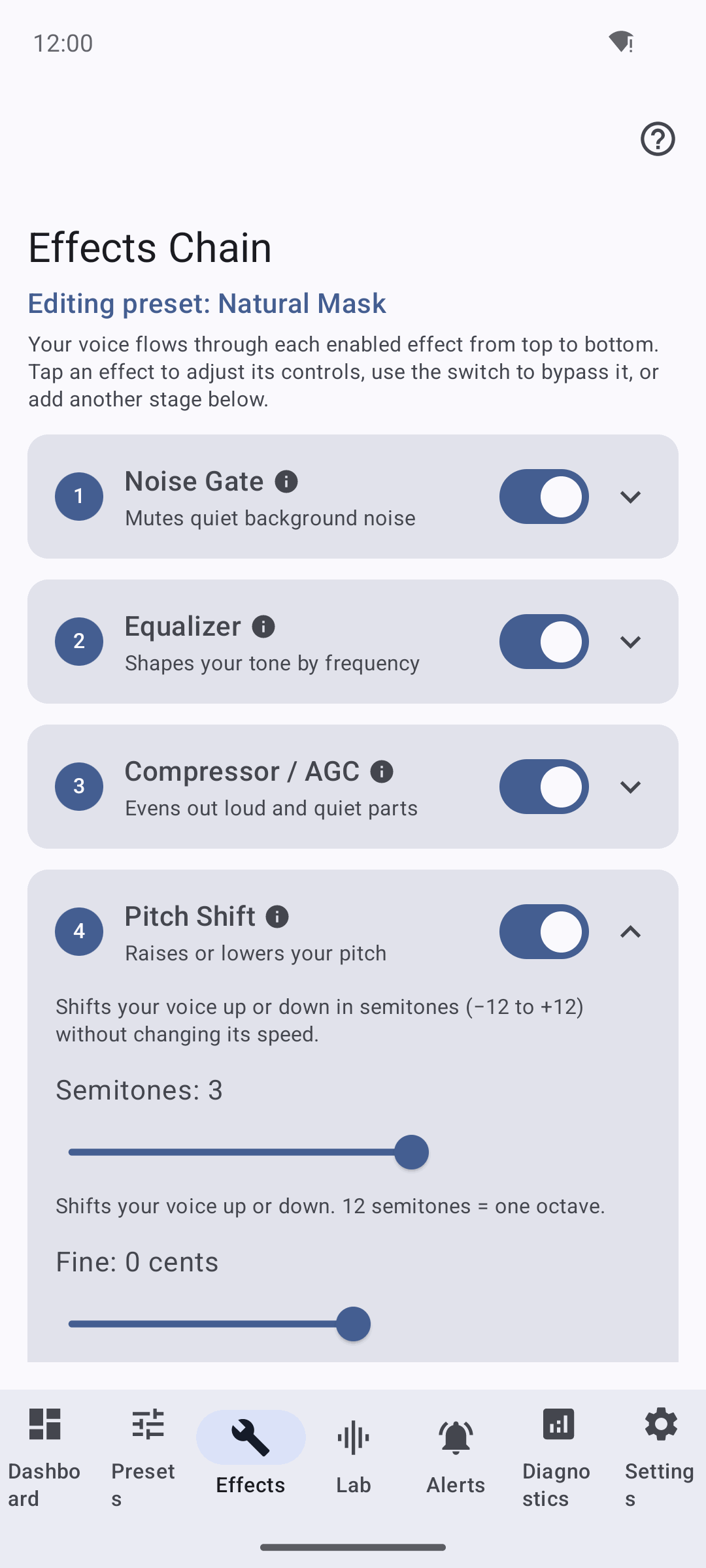
The signature Pitch Shift stage expanded: a Semitones slider (-12..+12) and a Fine cents slider, with the "12 semitones = one octave" helper.
The Lab — local DSP test (real transform, not interception)
Local DSP testbench
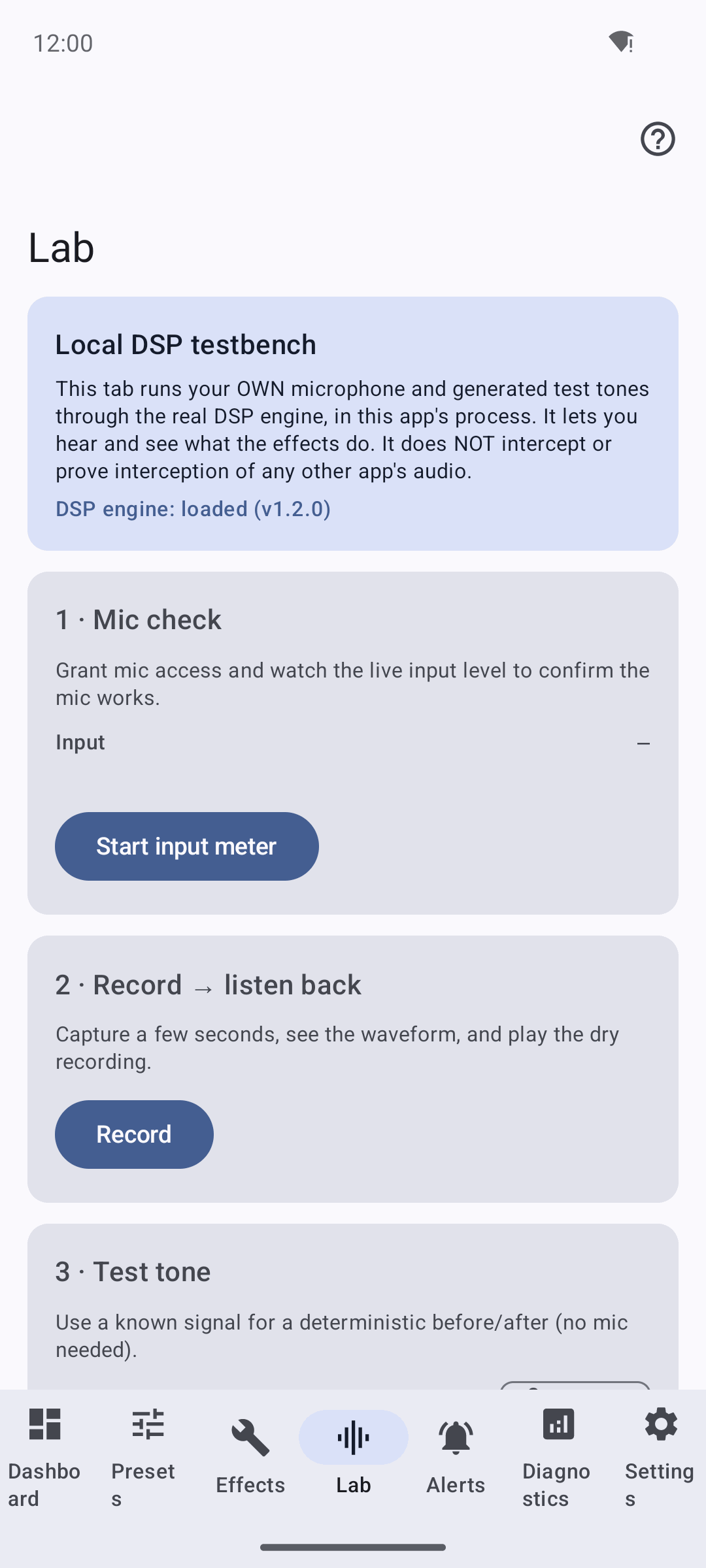
The Lab runs your own microphone and generated test tones through the real DSP engine, in this app's process — it reads DSP engine: loaded (v1.2.0). Its own copy states plainly that it does NOT intercept or prove interception of any other app's audio.
Test tone A/B — the real transform
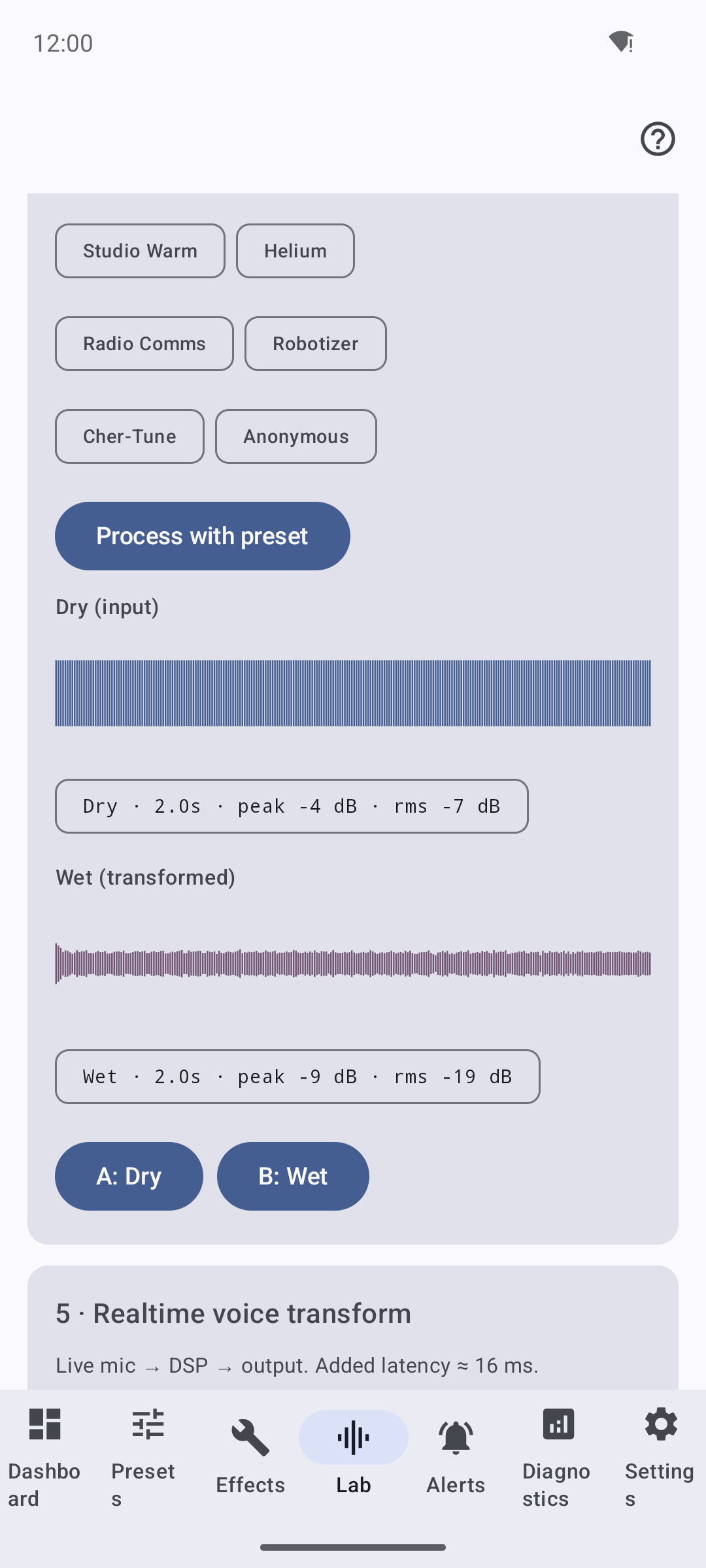
A generated 440 Hz sine (Dry: peak -4 dB, rms -7 dB) processed through the Darth Vader preset on the real engine gives a visibly different Wet waveform (peak -9 dB, rms -19 dB), with A: Dry / B: Wet playback. This is honest local-DSP proof that the transform works — not another app's audio.
In-app Help and Docs
Help browser
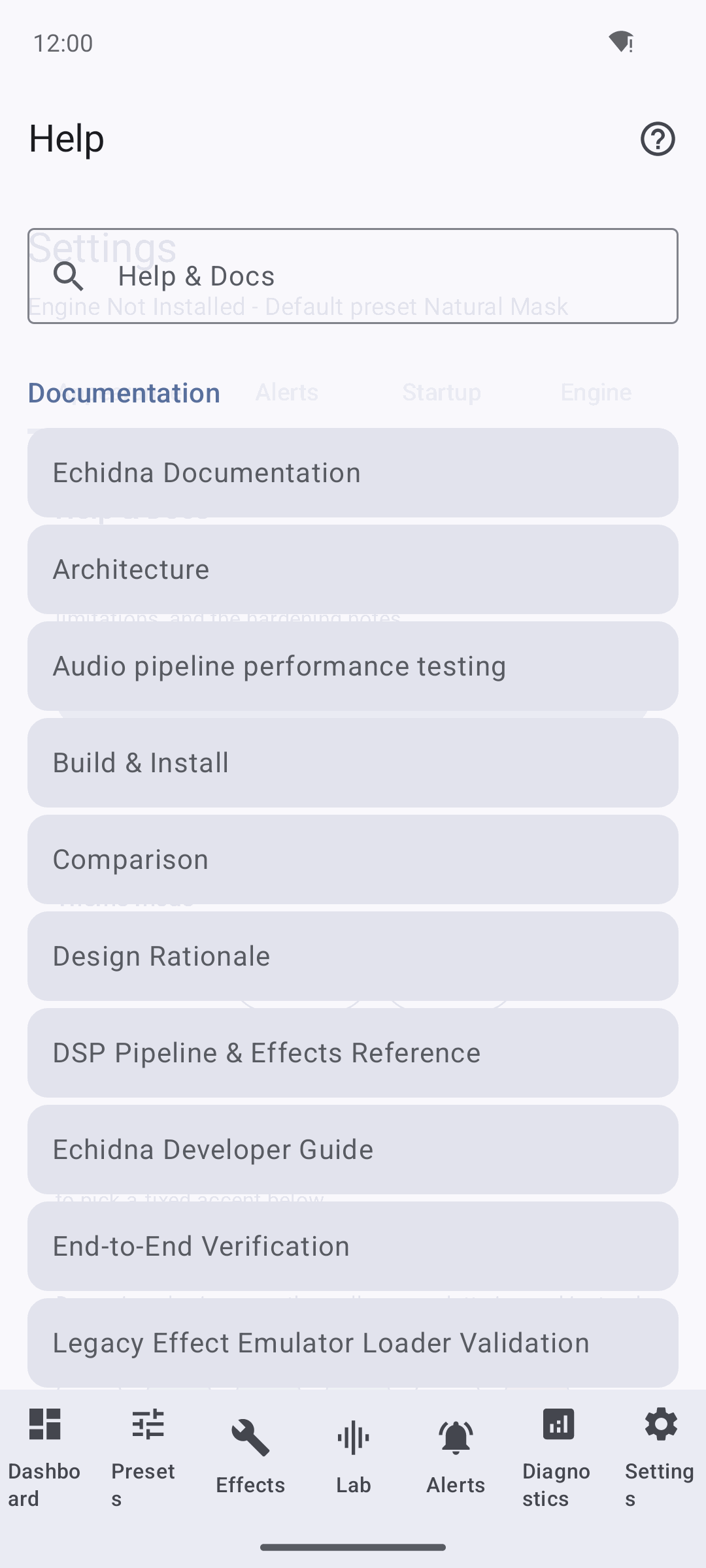
The Help tab renders the repository's own Markdown docs offline — a scrollable list (Architecture, Build & Install, Verification, the hardening notes, and more).
Full-text search
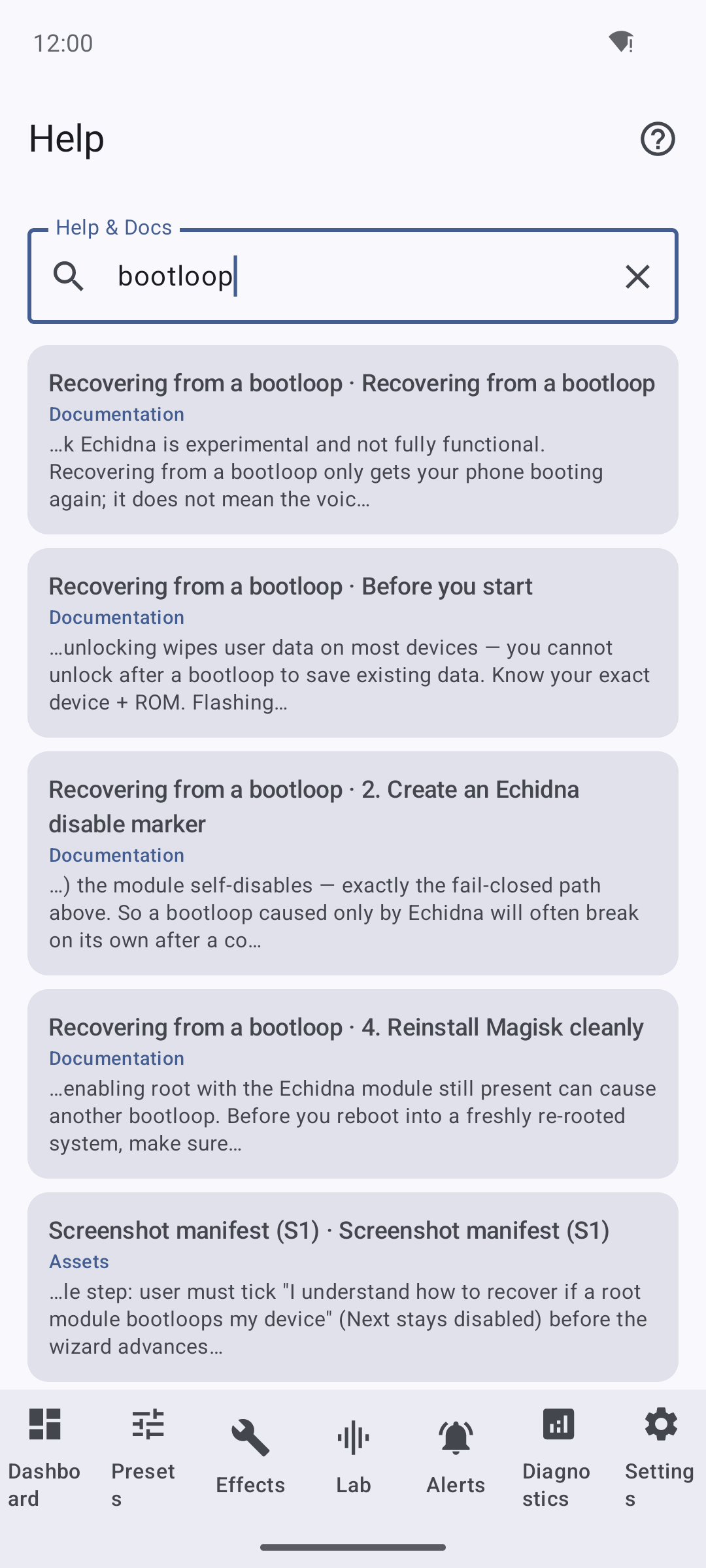
Native offline full-text search. Querying "bootloop" returns ranked section-level matches with snippets (Recovering from a bootloop; Reinstall Magisk cleanly; the Magisk-release failsafe contract).
Theming
Light
Dark
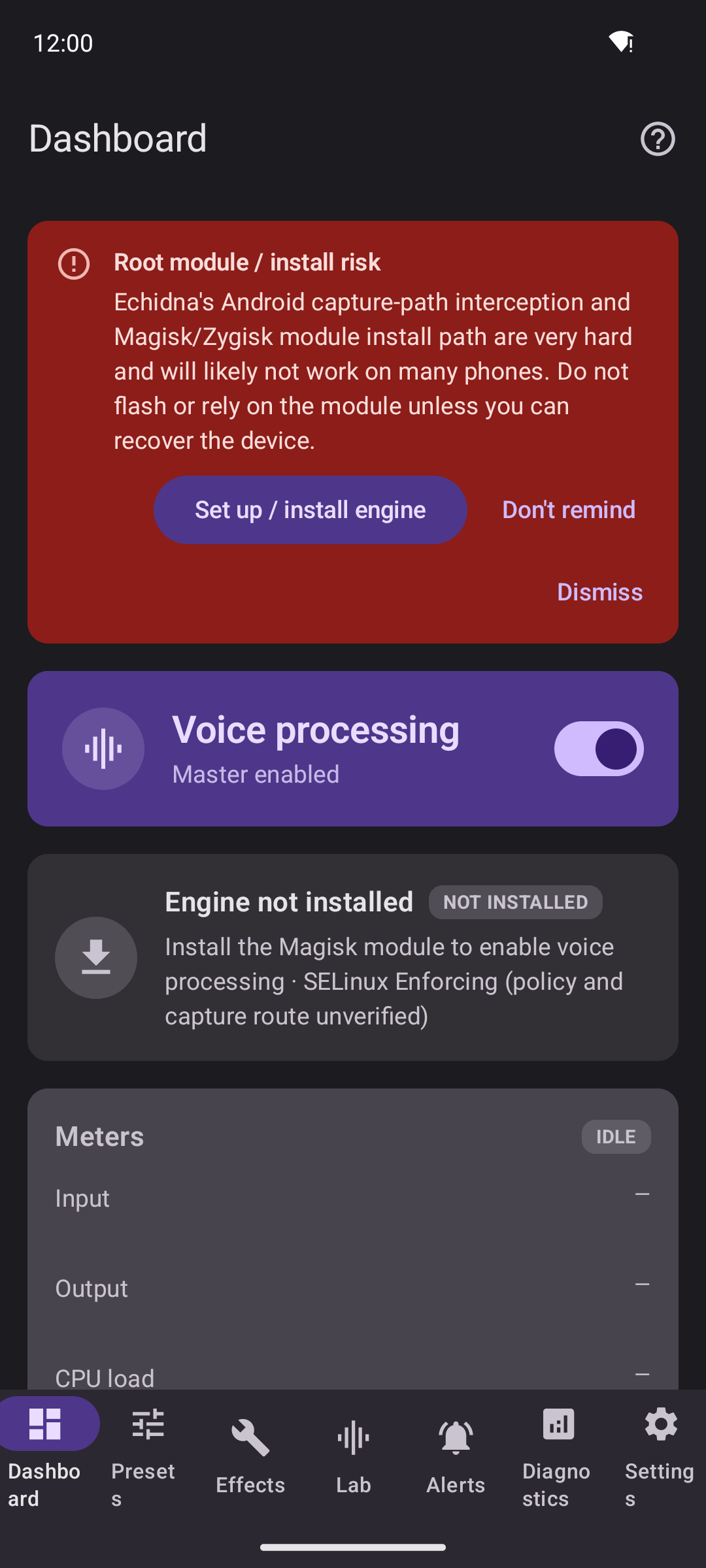
Light and Dark force the app's scheme regardless of the system; System follows the device. The two shots above are the same Dashboard under each mode.
Accent / Material You
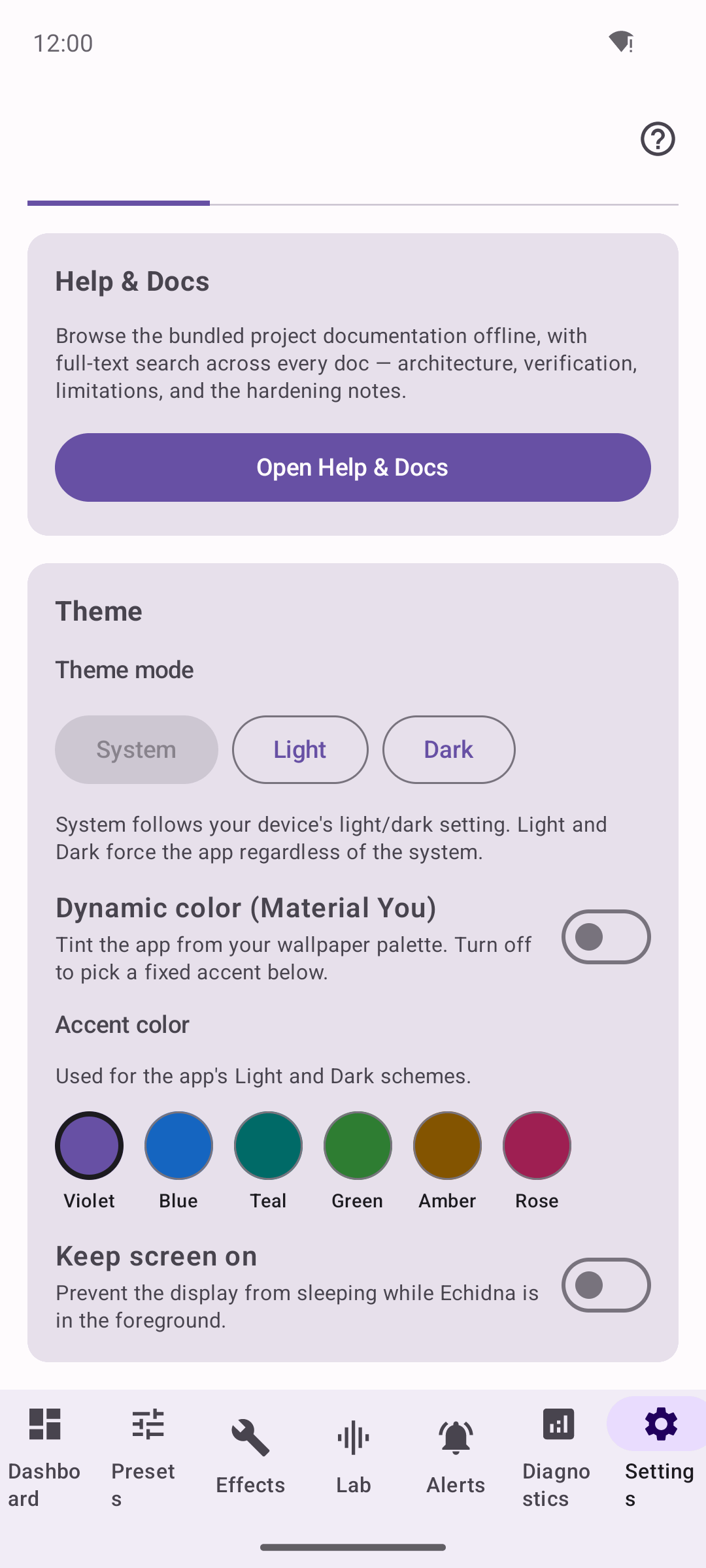
With Dynamic color (Material You) off, a fixed accent can be chosen from Violet / Blue / Teal / Green / Amber / Rose; with it on, the app tints from the wallpaper palette.
Alerts
Advisory alerts
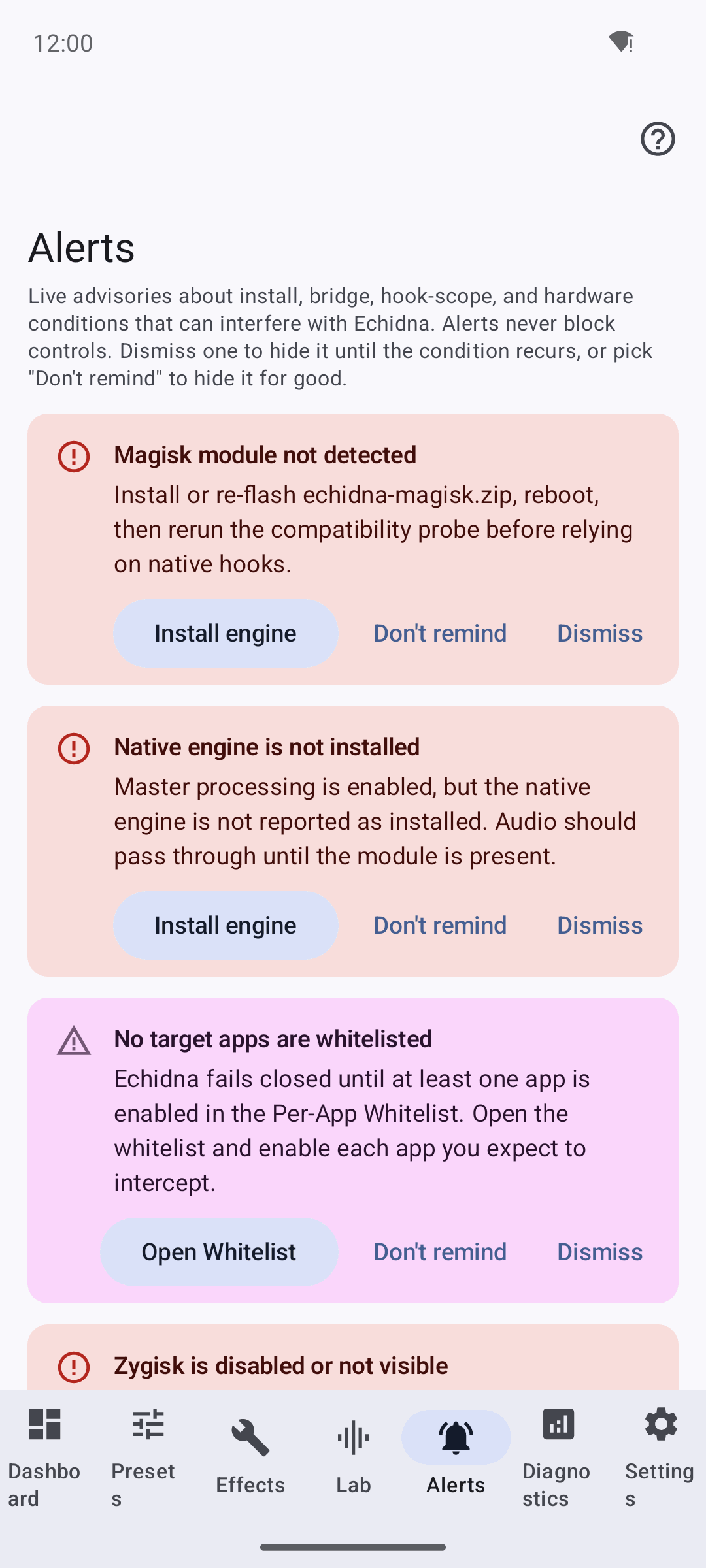
Live advisories about install, bridge, hook-scope and hardware conditions. Each card can be dismissed or permanently silenced with Don't remind. Here: Magisk module not detected, Native engine is not installed, No target apps are whitelisted — all honest for an unrooted device.
Actionable alerts
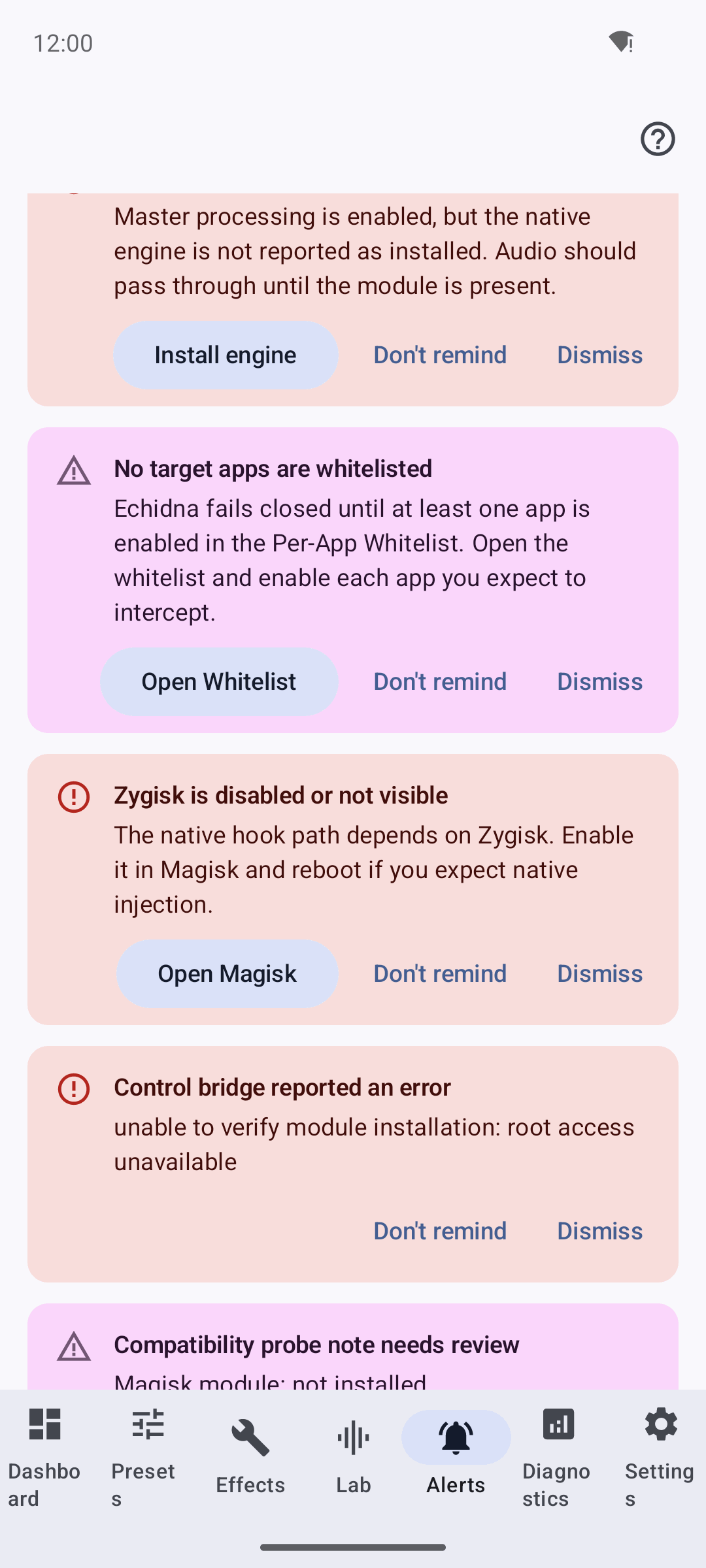
Advisories carry actions that jump to the relevant screen — Open Whitelist, Open Magisk, Run wizard — plus an honest control-bridge error ("unable to verify module installation: Permission denied").
Diagnostics
Overview
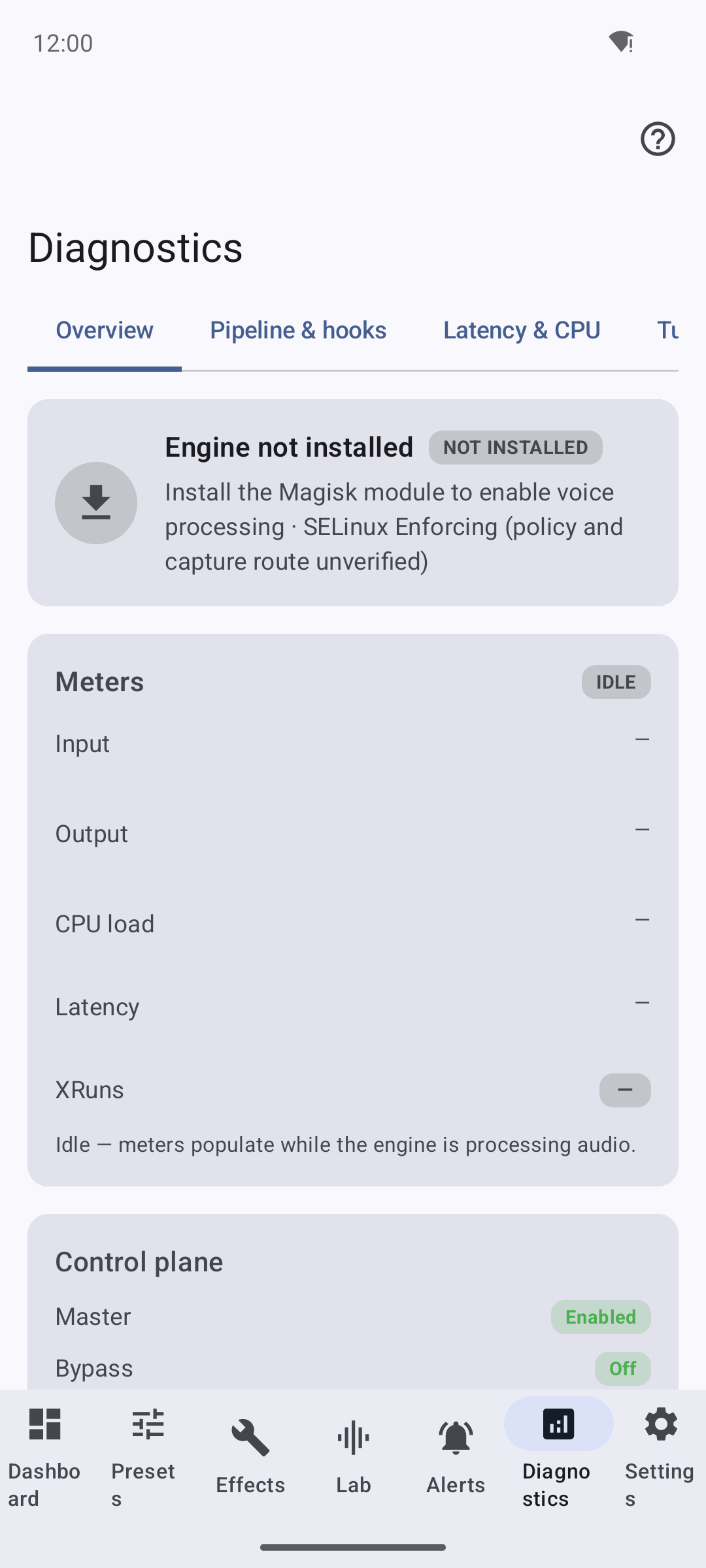
The Overview tab: Engine not installed, idle meters (Input/Output/CPU/Latency/ XRuns all blank because no native engine is processing audio), and the control plane (Master enabled, Bypass off).
Pipeline and hooks
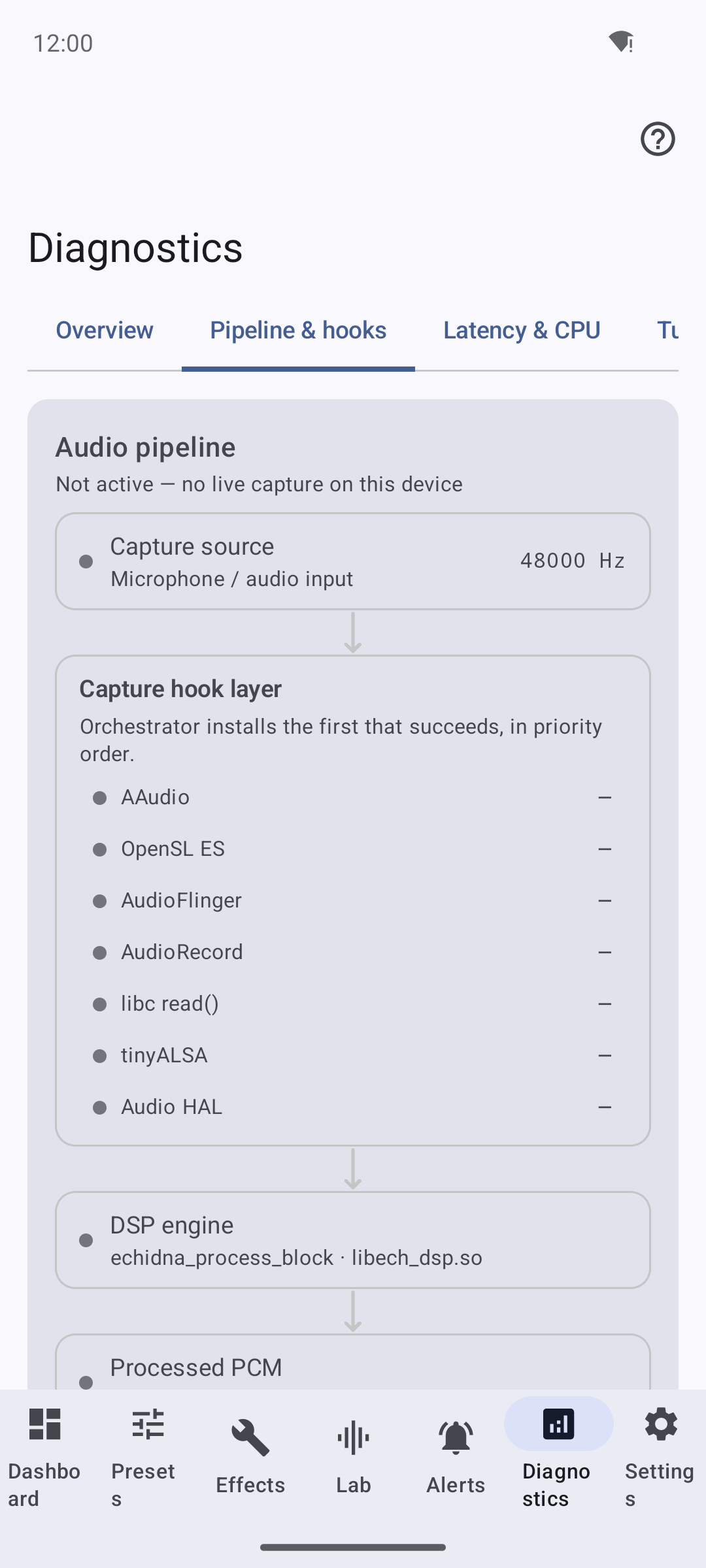
The audio-pipeline graph (HAL -> DSP engine -> processed PCM -> app/system consumer). Honest note: no signal flows because the engine is not hooking audio on this device; on a rooted device with the Zygisk module active the winning capture hook is highlighted and audio animates along the path.
Compatibility Wizard
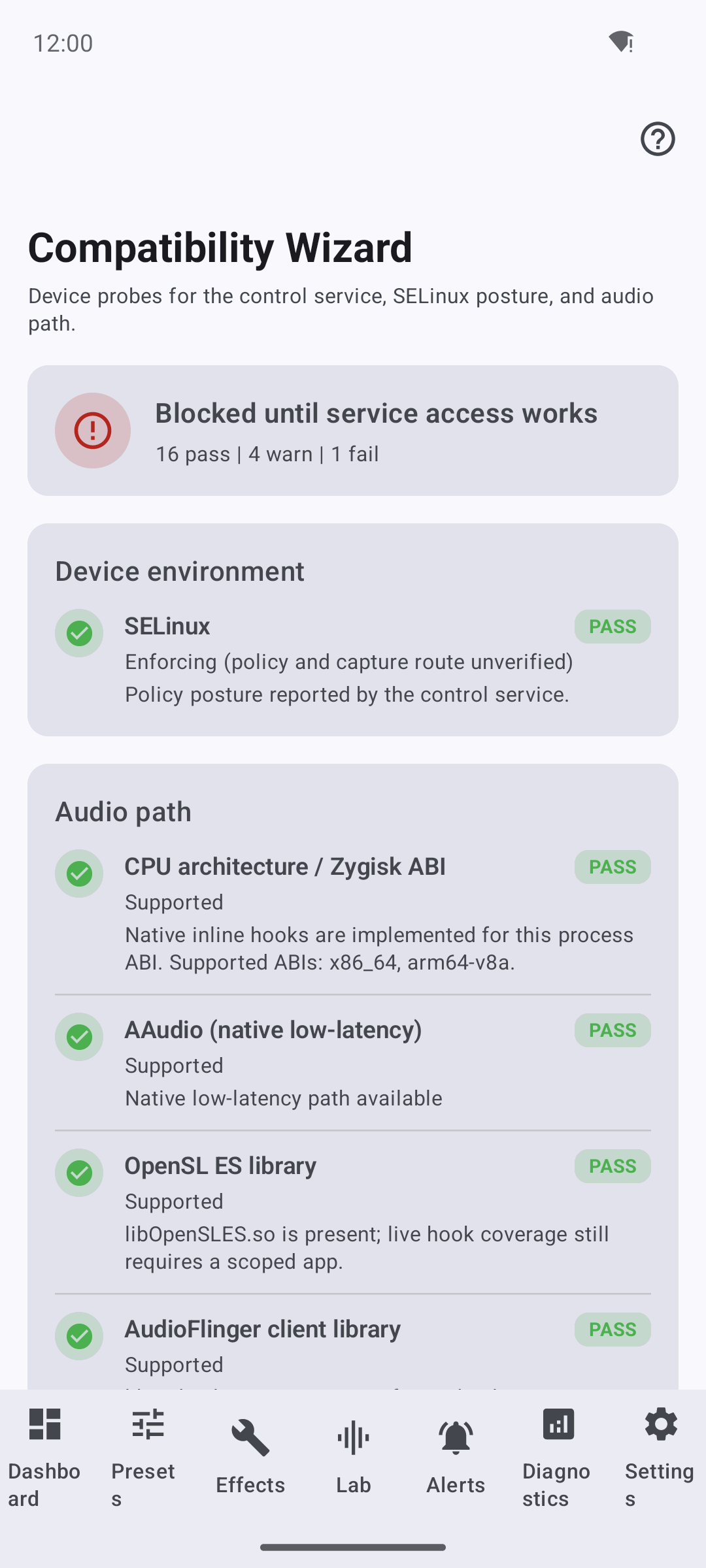
A real on-device probe: SELinux posture and the audio path (CPU/Zygisk ABI,
AAudio, OpenSL ES, AudioFlinger) pass, but the overall verdict is "Blocked
until service access works" (16 pass | 4 warn | 1 fail) because Magisk/Zygisk
and su are unavailable — the Java fallback is recommended, not proven active.
Per-App Whitelist
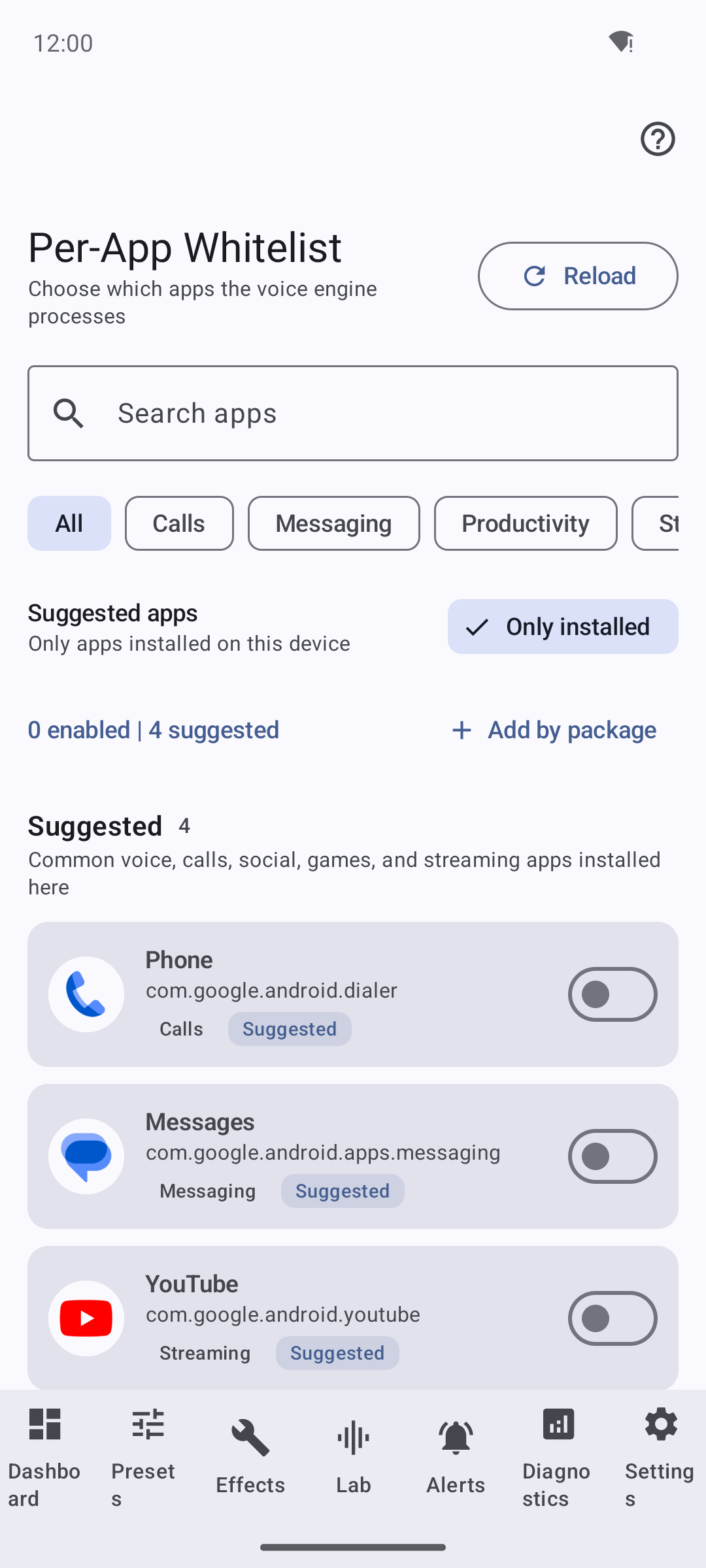
Choose which apps the engine would process. The Only installed filter is on, suggested apps show single-line package names and category tags (Phone/Calls, Messages/Messaging, YouTube/Streaming), and 0 enabled | 4 suggested is shown. This is configuration only — the service read-back is empty on an unrooted device, so it is intended targeting, not an active hook.
Install engine (guided)
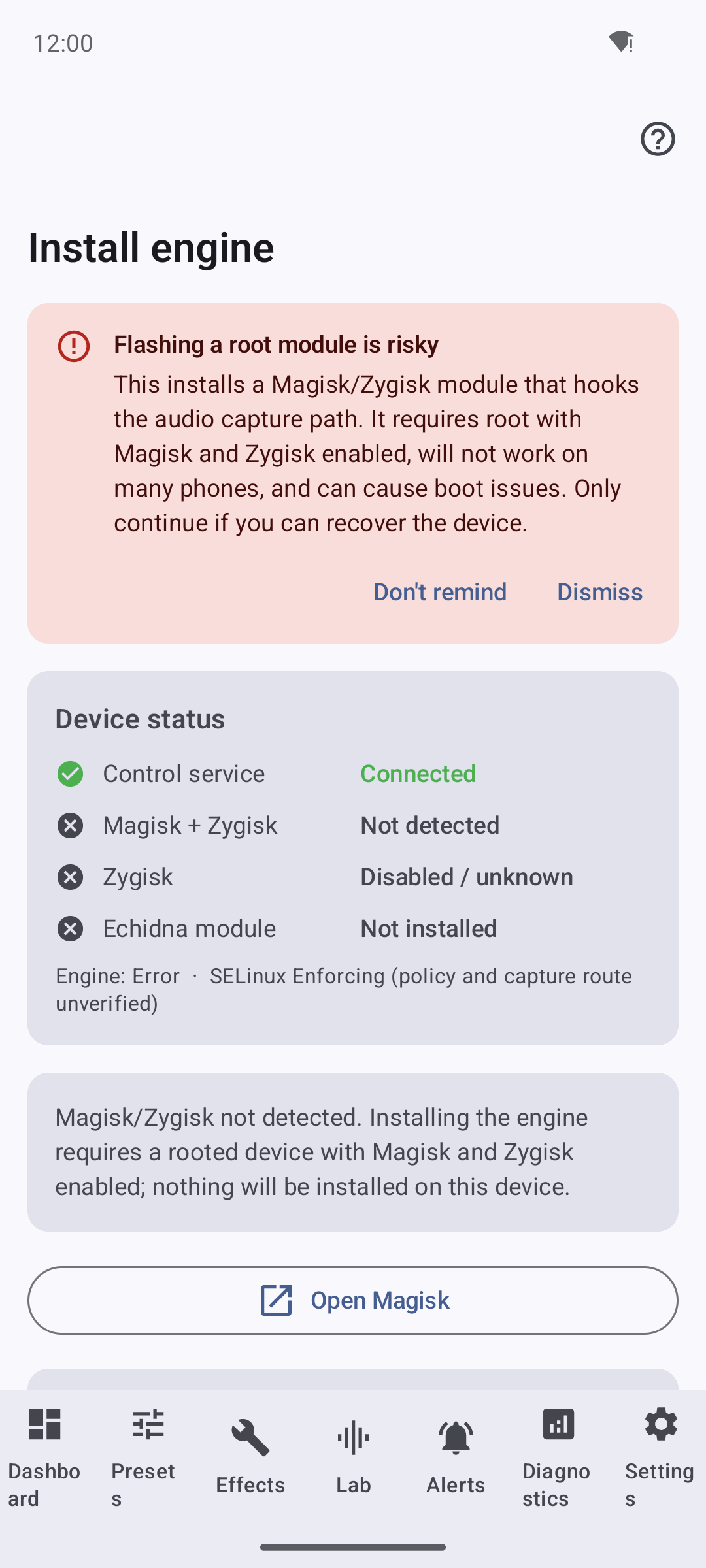
The guided installer is honest end-to-end: a red "Flashing a root module is risky" banner, a device-status checklist (Control service Connected; Magisk + Zygisk Not detected; Zygisk Disabled; Echidna module Not installed), and the plain message "Magisk/Zygisk not detected... nothing will be installed on this device."
Settings
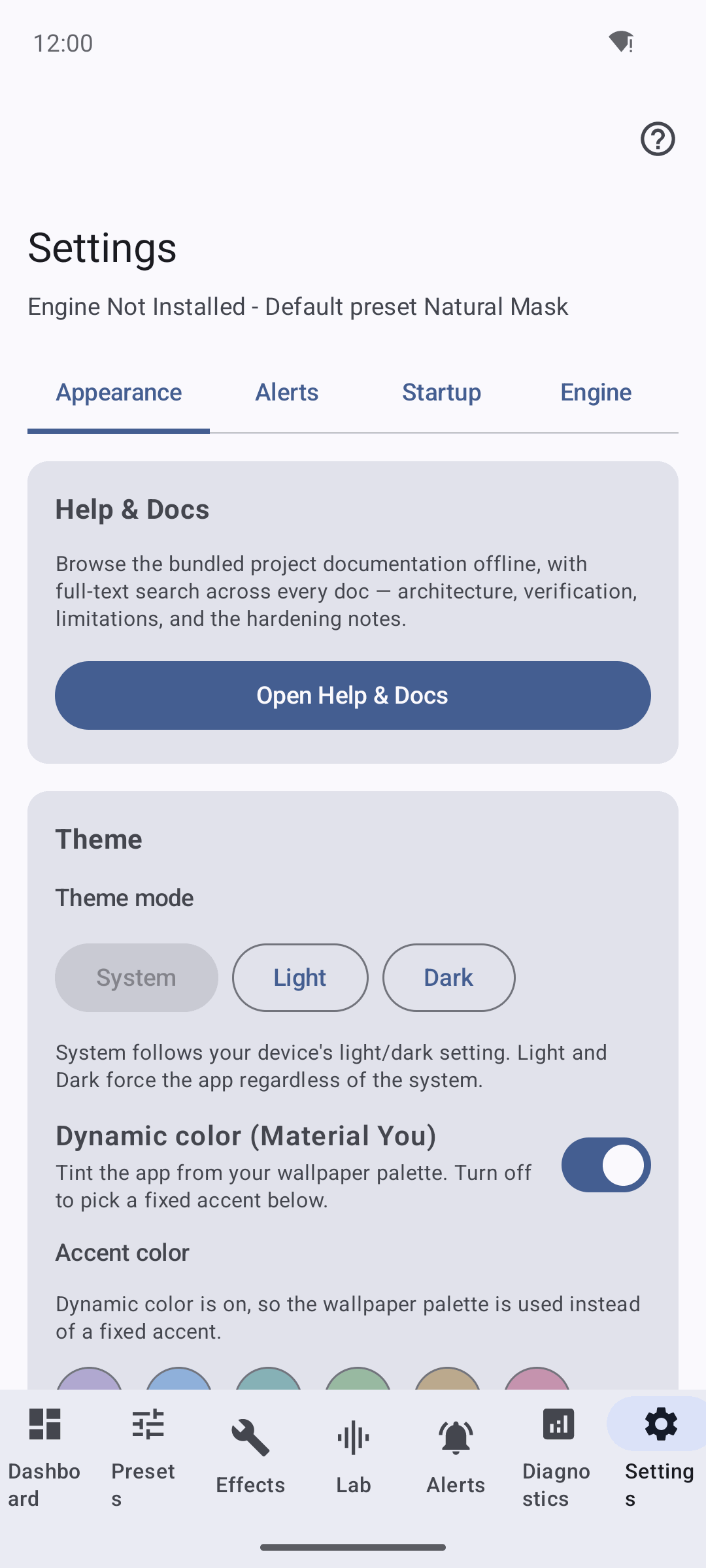
A live capture of the tabbed Settings surface (Appearance / Alerts / Startup / Engine / Safety). The Appearance tab holds Help & Docs, the theme mode, Material You and accent controls; other tabs cover startup/system integration, notifications, the Compatibility Wizard and Per-App Whitelist entries, and Run setup again.
Quick Settings tile
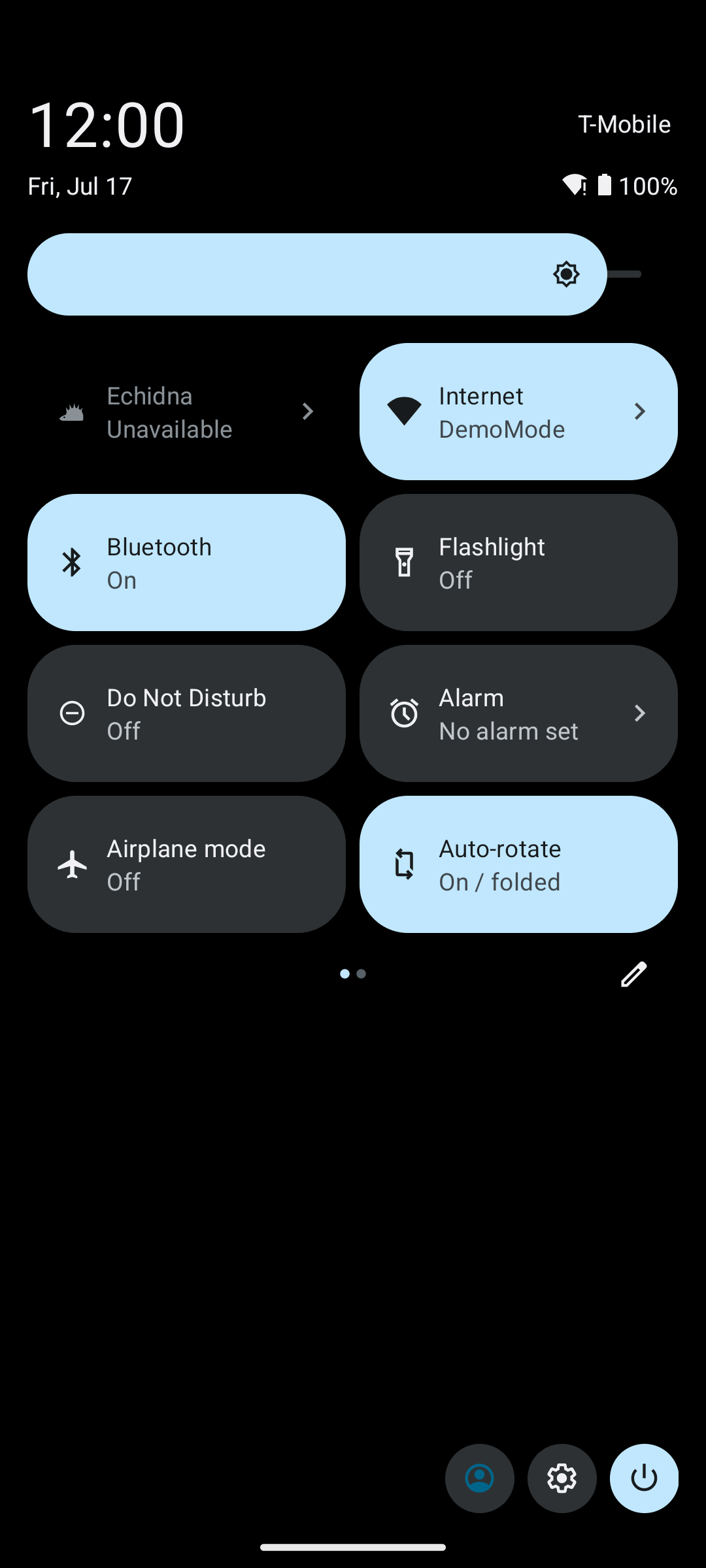
The live-registered Quick Settings tile in the shade reads "Echidna · Unavailable" because the native module is not active on the unrooted emulator. It is genuinely drawn in the shade, not merely declared in the manifest.
Home-screen widgets
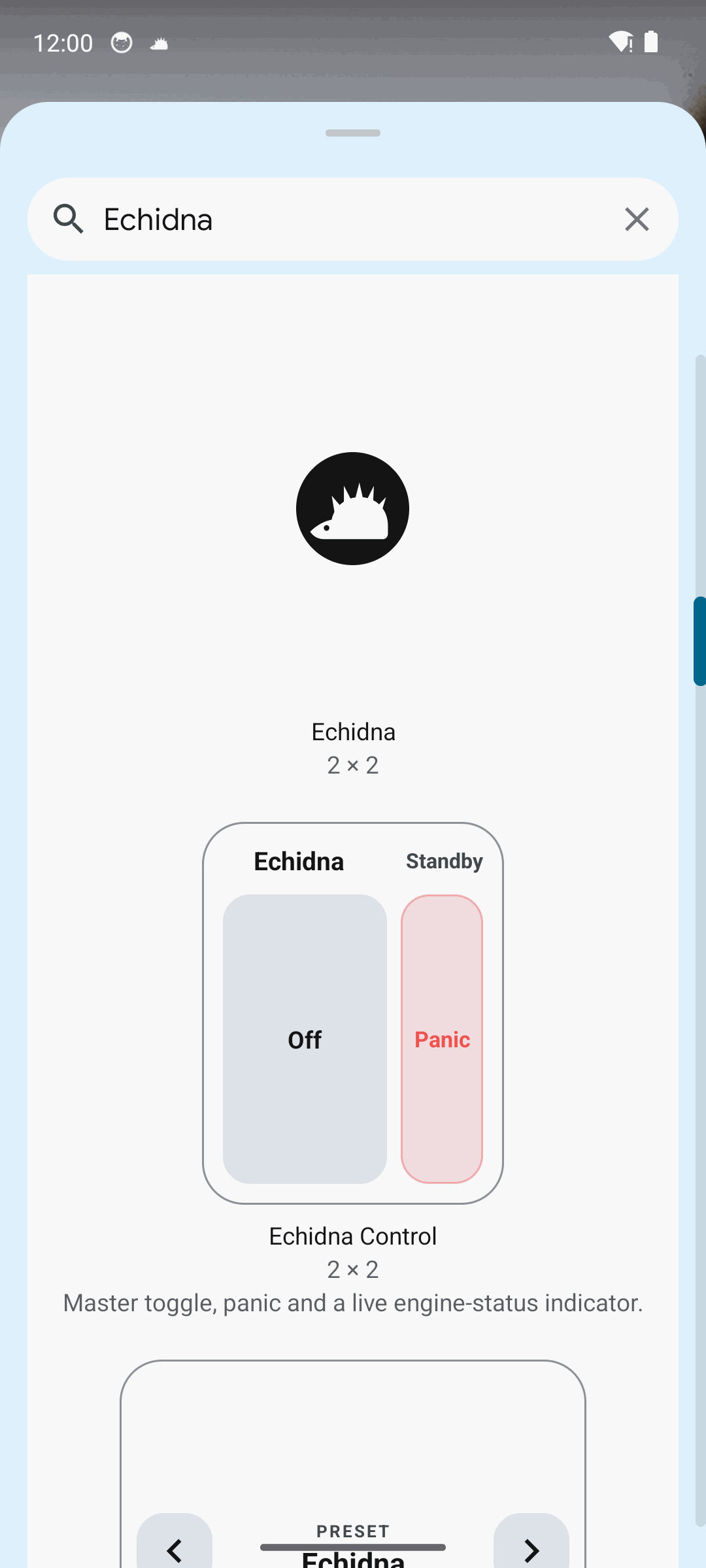
Echidna ships three home-screen widgets, shown here in the launcher's widget picker: a 2x2 Echidna shortcut, Echidna Control ("Master toggle, panic and a live engine-status indicator"), and a Preset switcher. On this device the live status honestly reflects the engine being unavailable.