The Lab — local DSP proof (test-tone A/B)
The Lab tab is where you can actually hear and see Echidna's DSP transform
working — with no root required. It runs your own microphone and generated
test tones through the real native DSP engine (libech_dsp.so) inside this
app's own process, and lets you compare the dry input against the processed
output.
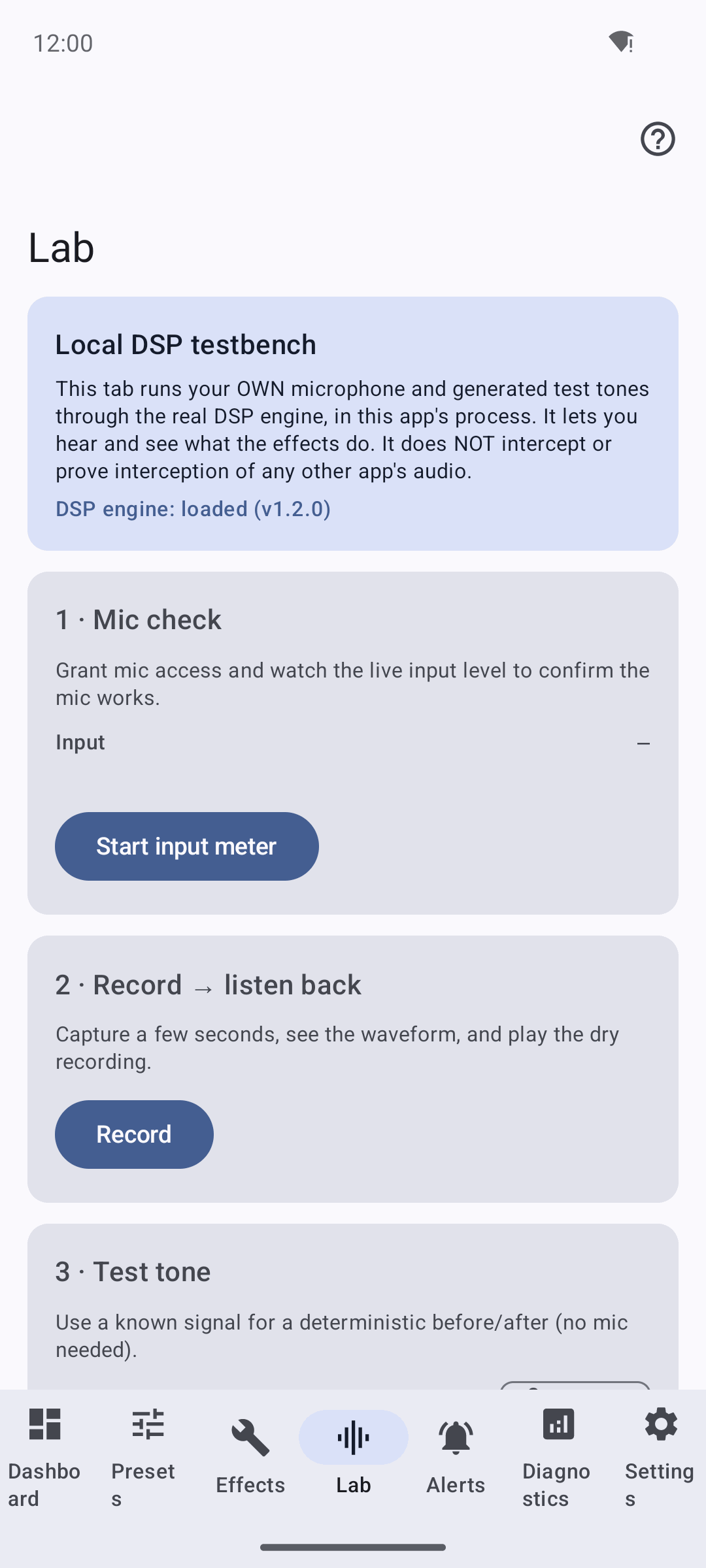
The Lab's own framing card: it runs your mic and test tones through the real DSP engine in-process ("DSP engine: loaded") and states plainly that it does not intercept or prove interception of any other app's audio.
The Lab is a local DSP proof, NOT interception
This is the single most important honesty point on this page. The Lab does not intercept, hook, or prove interception of any other app's audio. It only demonstrates that the DSP transform itself is real. Quoting the app's own framing card and the JNI bridge:
"This tab runs your OWN microphone and generated test tones through the real DSP engine, in this app's process. It lets you hear and see what the effects do. It does NOT intercept or prove interception of any other app's audio."
"This is NOT the Zygisk interception path: there is no root, no hook, and no other app's audio. It only demonstrates that the DSP transform itself works."
System-wide interception of other apps remains a separate, device-gated capability that needs a rooted device with Magisk + Zygisk and the engine module — and even then, many devices are unsupported. See Verification and Limitations.
Honest by construction
Every audible or visible result in the Lab comes from either the device
microphone or a generated signal, run through the real native DSP engine —
nothing is faked or pre-baked. The Lab bridge (libechidna_lab_jni.so)
dlopens the same libech_dsp.so the engine uses and processes independently.
It needs only the RECORD_AUDIO permission.
What you can do
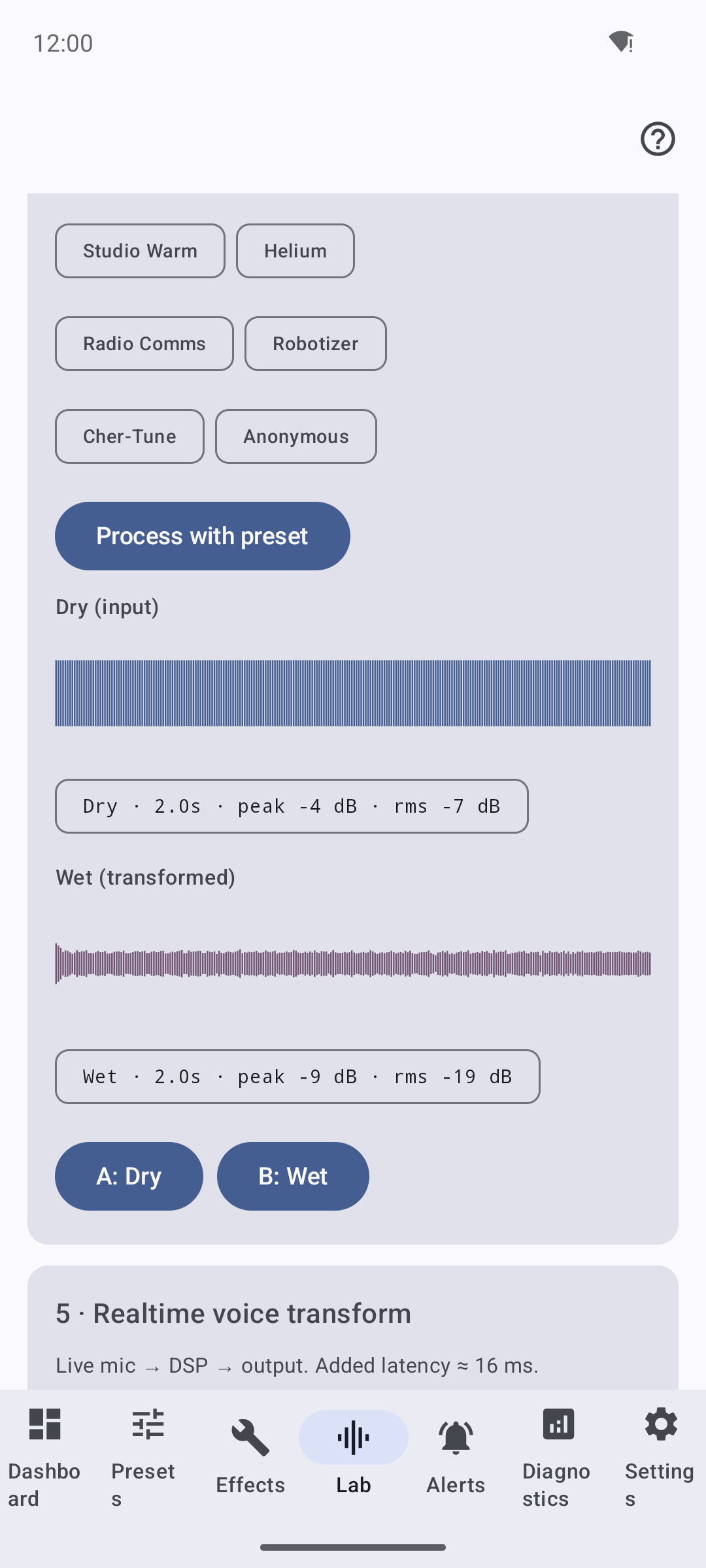
The Lab "Process + A/B" section: a source signal run through a preset on the real engine, with dry and wet waveforms and A/B playback. This is a local transform of this app's own audio — not interception.
The Lab is organised as five numbered cards, top to bottom.
Confirm the microphone works before anything else.
- Grant microphone access button (if not yet granted).
- A live Input level meter in dBFS.
- Start input meter / Stop meter.
Capture a few seconds and play the dry (unprocessed) recording.
- Record / Stop recording.
- A waveform view and a level-summary chip.
- Play dry / Stop.
Use a known, deterministic signal — no mic needed — for a repeatable before/after.
| Tone | Label |
|---|---|
| Sine A4 | Sine 440 Hz (A4) (default) |
| Sine A3 | Sine 220 Hz (A3) |
| Sweep | Sweep 200 Hz → 2 kHz |
Each tone is 2.0 s mono at amplitude 0.6 with a short fade. Press Generate as source to load it.
The heart of the Lab. Run the source (mic recording or test tone) through a preset on the real engine, then compare.
- Choose a preset via the filter chips.
- Process with preset runs it through
libech_dsp.so. - Dry and Wet waveforms are drawn side by side.
- A: Dry and B: Wet buttons play each for a true A/B comparison.
"A/B" here means exactly this: A is the untouched dry source, B is the same source after the DSP chain. If you hear a difference, the transform is real.
Live mic → DSP → output, with the added latency shown on the card.
- A headphones warning card and an "I'm using headphones" switch.
- In and Out level meters.
- Start realtime monitor / Stop monitoring — enabled only once mic access is granted, headphones are confirmed, and the engine is available.
Use headphones for the realtime monitor
Playing the transformed mic out of the speaker while the mic is live will feed back. The Lab requires you to confirm headphones before it starts the realtime monitor.
Reading the meters
The level meters map −60 … 0 dBFS onto the bar. Colour is a quick headroom cue:
| Colour | Meaning |
|---|---|
| tertiary | below −12 dBFS — comfortable |
| primary | −12 … −3 dBFS — healthy |
| error | above −3 dBFS — close to clipping |
Lite builds (no native engine)
If the app is a lite build without the packaged native engine, the Lab is honest about it:
- The framing card reads: "DSP engine: unavailable (lite build — rebuild with the native engine to hear transforms)."
- The Process card adds: "The native DSP engine is not packaged in this build, so wet output cannot be produced here."
- The Process with preset and Start realtime monitor actions are disabled.
The mic check, recording, and dry playback still work — you just cannot produce wet output without the engine.
Related
- DSP & Effects — the effect chain and every preset the Lab can apply.
- Getting Started — the wizard hands you to the Lab at step 12.
- Verification — what interception is and is not proven; the device-gated boundary.