In-app Help & full-text search
Echidna bundles this entire documentation set inside the app. The Help tab is a native Markdown reader with an offline full-text search over every bundled page — no network, no CDN, no account. If you are holding the phone and hit a wall, the answer is one search away without leaving the app.
Same docs, two surfaces
The pages you are reading on the web site are the same Markdown files staged
into the app at build time (a Gradle stageHelpDocs task mirrors docs/**/*.md
into the APK assets). The Help tab discovers them dynamically — it is not a
hand-maintained list — so what ships on the site ships in the app.
The Help tab
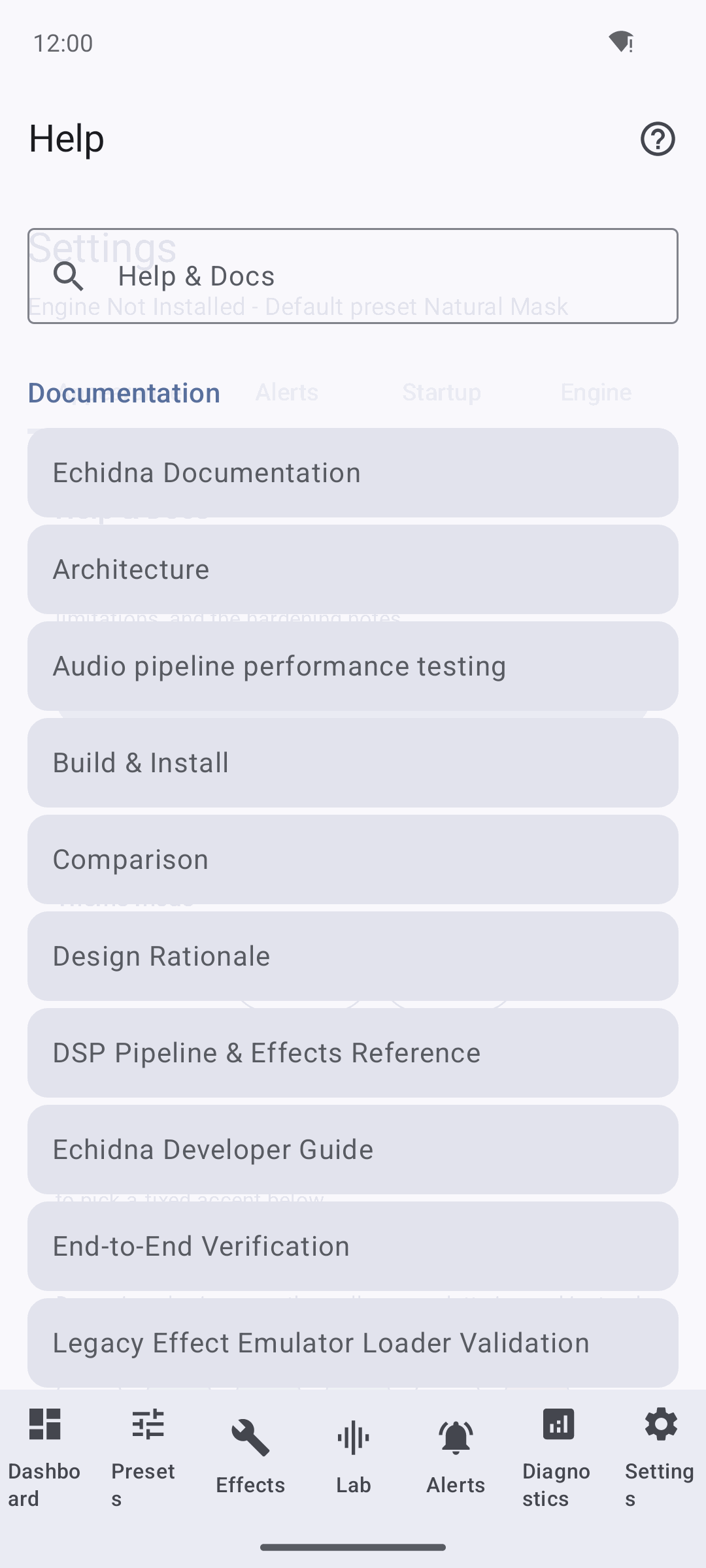
The Help tab lists every bundled doc, grouped by section, above a search field. Titles come from each page's first heading.
- A search field labelled "Help & Docs" with the placeholder "Search the docs".
- The docs listed and grouped by directory: top-level pages under Documentation, plus Hardening and Validation groups, in that preferred order.
- Each page's title is taken from its first level-1 heading (falling back to a prettified filename).
- Tapping a page opens the native reader with a back stack, so you can follow internal links between pages and come back.
How rich content renders in-app
The in-app reader renders Markdown natively: headings, paragraphs, bullet and
numbered lists, fenced code blocks (monospace, horizontally scrollable), block
quotes, pipe tables, horizontal rules, MkDocs admonitions (!!! note),
inline bold/italic/code, and links. Inline screenshots render via
the app's image pipeline. Diagrams and material icons/emoji are shown
as captions or their text labels in-app — which is why every icon in these docs
is paired with a text label, and every image carries an honest caption. On the
web site everything renders fully.
Full-text search
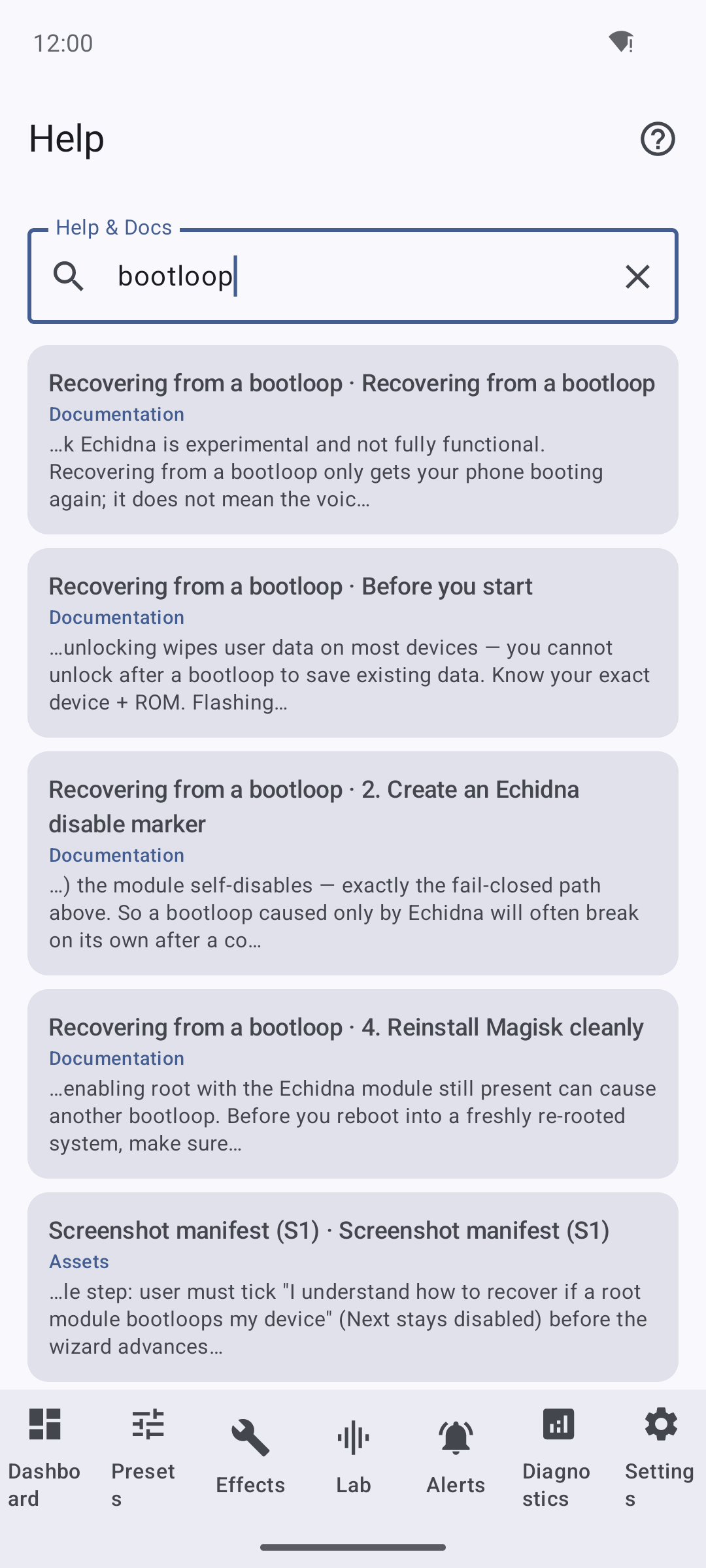
Typing a query searches every bundled page offline. Results are ranked and show the page, the matching section, and a snippet; matched terms are highlighted when you open the result.
The search is a pure-Kotlin, offline index built when the docs load. It is smarter than a plain substring match:
- Section-level results. Each page is split into sections at its headings, and the section is the unit that gets ranked and returned — so you land on the right part of a long page, not just the page.
- Multi-word = AND. Every term you type must appear for a section to match.
- Where it looks. The section heading, the section body text (including lists, code, quotes, tables, and admonitions), and the owning page's title.
- Relevance ranking. A heading match is weighted most heavily, then a page-title match, then body text, with a bonus when a heading exactly equals your term and a small tie-breaker toward more prominent (higher-level) sections.
- Snippets + highlight. Each result shows the page title · section heading, its group, and a ~140-character snippet centred on your first term. Opening a result jumps to that section with your terms highlighted.
Search reads what you see
Because the index is built from the same parsed Markdown the reader renders, searching for a phrase from a table cell, a code snippet, or an admonition will find it. If a page has no matches you'll see "No matches in the documentation."
When docs aren't bundled
If a build ships without staged docs, the Help tab degrades gracefully — it simply shows an empty index rather than crashing (the condition is logged). A normal release build always includes the full documentation set.
Related
- Getting Started — the first-run wizard.
- The Lab — hear the DSP transform locally.
- Documentation index — the full map of pages, all searchable in-app.