Troubleshooting & FAQ¶
Common questions and failure modes, with honest fixes. Echidna is experimental root/sideload software; many of these entries are expected states, not bugs. Where a state is device-gated or by-design, this page says so rather than promising a fix that does not exist.
Quick triage
- Device won't boot after a flash → Recovering from a bootloop.
- Diagnostics says Engine Not Installed on an unrooted phone → that's expected.
- Lab says engine unavailable (lite build) → rebuild with the native engine.
- Just installed but nothing changed → reboot is required.
Installation & activation¶
I installed the module but nothing changed¶
A Zygisk module only loads at boot — it cannot be hot-swapped into processes that are already running. The guided installer makes this explicit and lands on a Reboot required screen after a successful install:
"Module installed. A reboot is required to load the engine because a live Zygisk module can't be hot-swapped. Reboot, then reopen Echidna."
Reboot, reopen Echidna, and check the Dashboard/Diagnostics engine status. If it still reads not-active after a reboot, the flash likely did not take on your device — see the installer's device-gated last mile and Verification.
Why must I reboot to uninstall too? (unload-first)¶
Same reason, in reverse. The installer follows an unload-first discipline for every module operation:
- Quiesce the live engine (master-off + bypass) so it stops mutating audio immediately.
- Write the Magisk disable marker so Zygisk stops loading the module next boot. If this step fails, the flow aborts and leaves the module as-is — never half-removed.
- Remove via Magisk, then reboot — because a live Zygisk module stays in running processes until the device restarts.
So a removal isn't truly finished until you reboot. This is by design; the module can't be torn out of processes that already mapped it. Full walkthrough: Installer guide.
The installer won't offer to install anything¶
The installer only offers Install when it actually detects a rooted Magisk device with Zygisk enabled and no module yet. Its idle messages are honest about why an action is missing:
| Message | Meaning |
|---|---|
| "The Echidna control service is not connected yet." | The in-app service hasn't bound — wait or reopen the app. |
| "Magisk/Zygisk not detected … nothing will be installed on this device." | No root/Magisk — installing needs a rooted device. |
| "…enable Zygisk in Magisk to load it." | Module present but Zygisk is off — enable it in Magisk. |
"Open Magisk" does nothing / can't find Magisk¶
Open Magisk launches the Magisk manager for the known packages (stock
com.topjohnwu.magisk, Delta/Kitsune, Alpha, debug). If Magisk has been hidden /
stub-repackaged under a random package name (a common anti-detection setup), there is no
reliable non-privileged way to discover it, so the app is honest:
"Couldn't open Magisk automatically. If Magisk is hidden or repackaged, open it manually…"
Open your Magisk manager from the launcher yourself and enable Zygisk / manage the module there.
Device won't boot after flashing¶
Go to Recovering from a bootloop. The least-invasive-first ladder is:
boot with all modules disabled (safe mode) → create an Echidna disable marker → fastboot
flash a stock boot.img (removes Magisk) → reinstall Magisk cleanly. Echidna's boot
watchdog also self-disables the module after repeated failed boots
(ECHIDNA_BOOT_FAIL_LIMIT, default 2) — a last-resort guard, not your only plan.
Engine status & Diagnostics¶
Why does an unrooted device show "Engine Not Installed"?¶
Because it honestly isn't. The native engine ships system-side in the Magisk module,
not inside the companion APK — the app bundles only libechidna_control_jni.so, not the
DSP or Zygisk engine. On a device with no module installed (every unrooted phone, every
stock emulator), the control service's JNI lookup fails closed and Diagnostics reports
Engine Not Installed with empty telemetry. This is the designed state, not a fault.
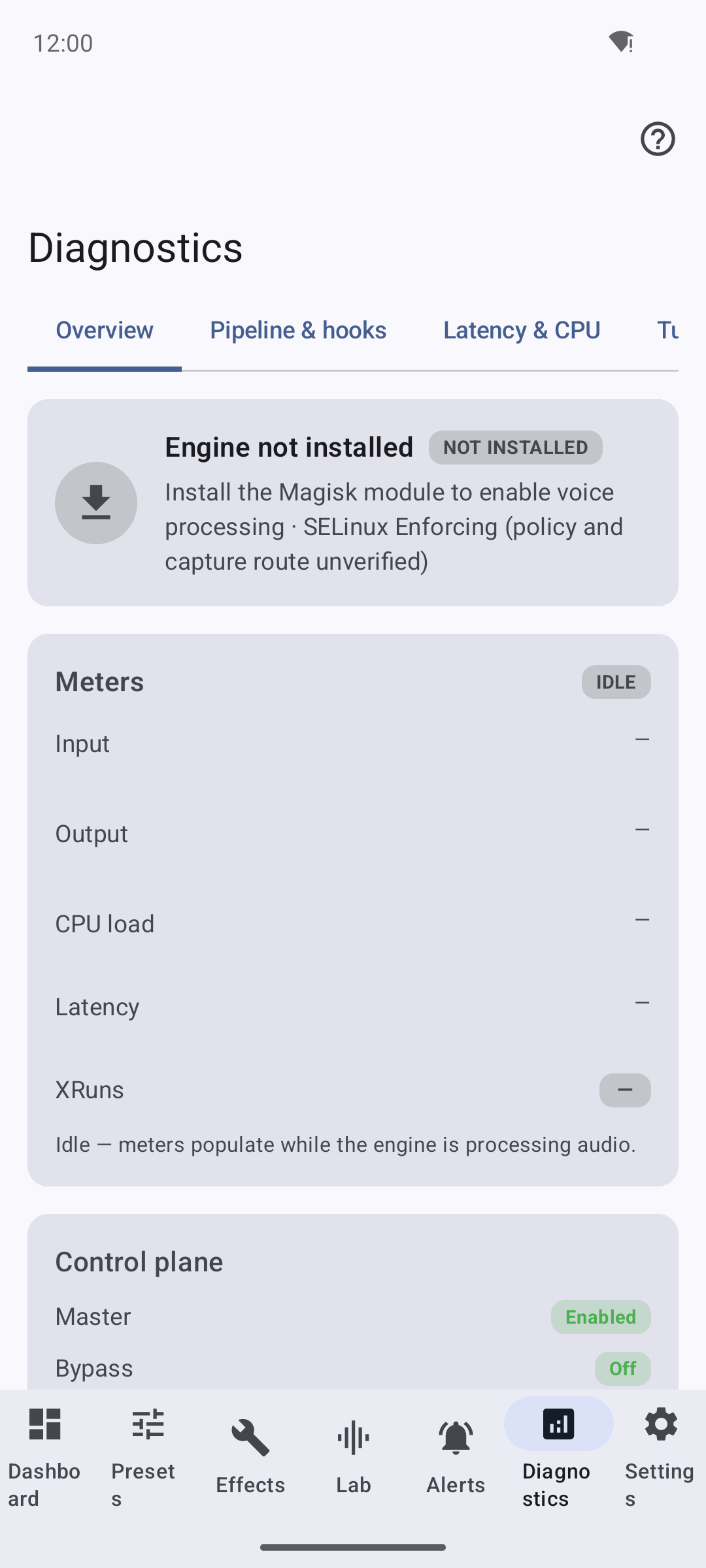
Telemetry cannot accumulate with no native engine running, so meters rest at −120 dBFS, XRuns are 0, and latency/CPU show "no data yet". See Evidence & State Model for why these counters are legitimately zero.
The Compatibility Wizard says Magisk not installed / su denied¶
Expected on an unrooted device or a stock emulator. The wizard runs a real probe:
without root it reports Magisk not installed, Zygisk disabled, "Java fallback
recommended (not proven active)", and "Cannot run program 'su': Permission denied".
These are truthful signals, not proof of anything — vendor-library presence (libOpenSLES,
libaudioclient, libtinyalsa) is a compatibility hint only and does not prove capture
works.
What does the telemetry schema-v3 mean in Diagnostics?¶
Advanced Diagnostics surfaces the per-route telemetry the engine emits. As of schema-v3
the wire carries a strict superset of the old v2 fields: deltas adds bypasses,
installEvents, and installFailures, and root adds the latched installed level
(schemaVersion 3). The controller accepts both v2 and v3, each against its own strict
exact-key-set, so a bypass is now distinguishable from a failure and route-presence
from route-use at the wire, not just inside the accumulator. Nothing here stores PCM —
only frame counts. Details:
Evidence & State Model §5/§7-F2.
Lab (local DSP testbench)¶
Lab says "DSP engine unavailable (lite build)"¶
The Lab tab runs your own microphone and generated test tones through the real native DSP engine, in this app's process, so you can hear and see what the effects do. A lite build (one without the native engine libraries staged) has no DSP to run, so Lab is honest:
"DSP engine unavailable (lite build). Rebuild with the native engine to hear transforms."
Fix: build the native libraries first, then the APK, so the DSP is available —
tools/build_native_ndk.sh then the Gradle build (see
Developer Guide → Native per-ABI build).
On a full build, Lab shows "DSP engine: loaded".
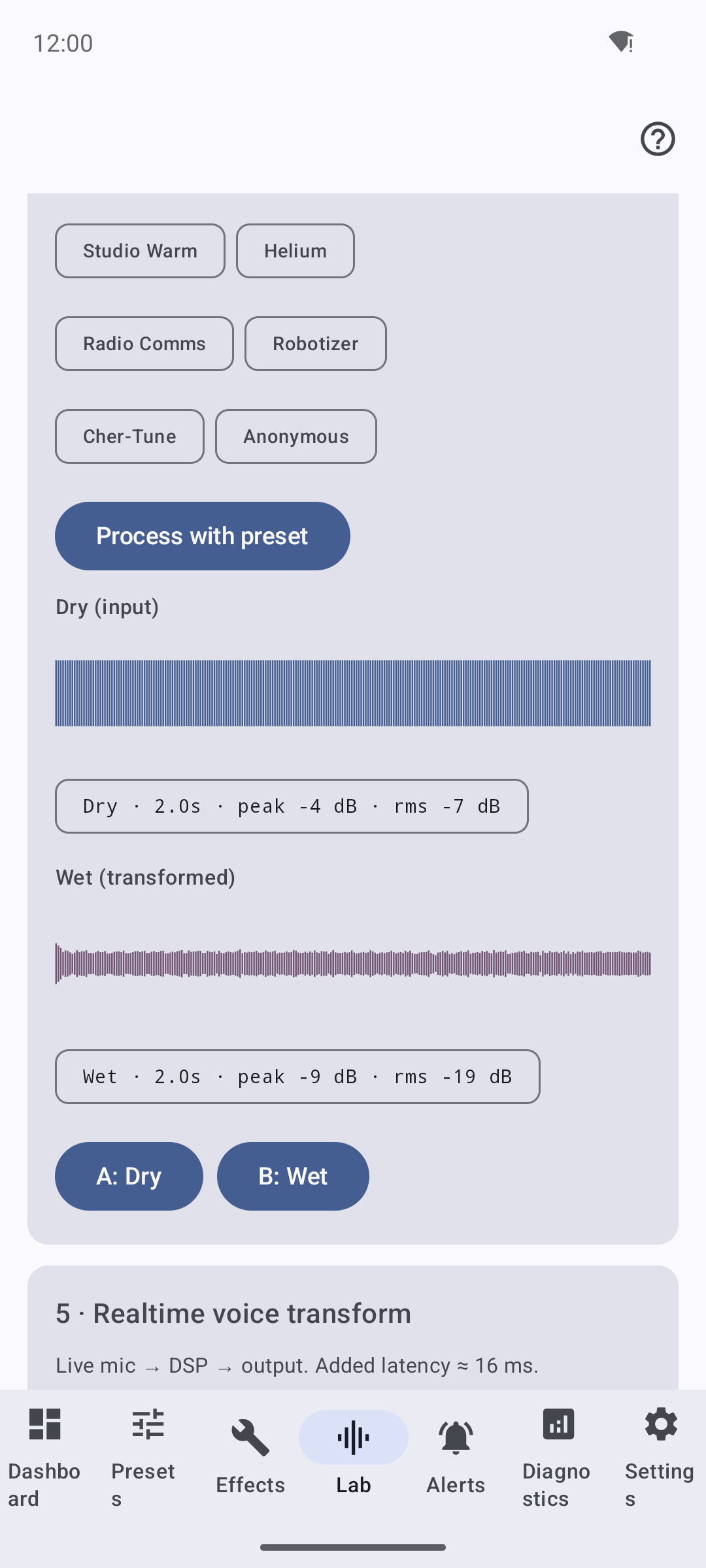
Lab is a local-DSP proof, not interception
The Lab test tone proves the DSP performs a real transform on audio in this app's process. It does NOT intercept, and does not prove interception of, any other app's audio. Live capture-route interception on real hardware remains device-gated (see Verification).
Routes, ABIs & real-time notes¶
Does armeabi-v7a (armv7) work?¶
armv7 builds and loads, and its direct inline-symbol routes (AAudio, OpenSL ES,
tinyalsa, native AudioRecord, libc-read) are backed by a host-proven ARM32/Thumb-2
prologue relocator (runtime/armv7_instruction.h). install() attempts the route and
the relocator fails closed per function on any prologue it cannot provably relocate —
never a half-written patch. On-hardware install/execution is still device-gated
(armv7_inline_relocation_host_proven_on_device_gated); arm64 is the primary native-hook
target. See
Developer Guide → armeabi-v7a.
Is the libc read route real-time-safe?¶
Yes, since the t9 fix. The route classifies a descriptor with fstat + readlink
(/proc/self/fd/N) — blocking syscalls that must not run on a hard-RT audio thread.
Those now run behind a per-fd verdict cache (fd_verdict_cache.h): the hot read path is
a single lock-free atomic lookup, and the classification runs once per fd off the hot path,
with close/dup/dup2/dup3 invalidation for fd-reuse correctness. The route stays
opt-in (ECHIDNA_LIBC_* developer contract). On-device descriptor-reuse timing is
device-gated. See
RT-Safety FINDING-1.
Why are Audio HAL and AudioFlinger "unsupported"?¶
They are architecturally out of reach from a Zygisk module, not hooks awaiting more
testing. Zygisk never injects audioserver (a native init service, not a zygote child),
and RecordThread exposes no stable PCM-buffer transform ABI. Both install() calls
return a truthful refusal (kUnsupported, unsupported_injection_boundary). The full
reasoning is in the AudioFlinger route note.
Help tab¶
How do I find something in the docs from inside the app?¶
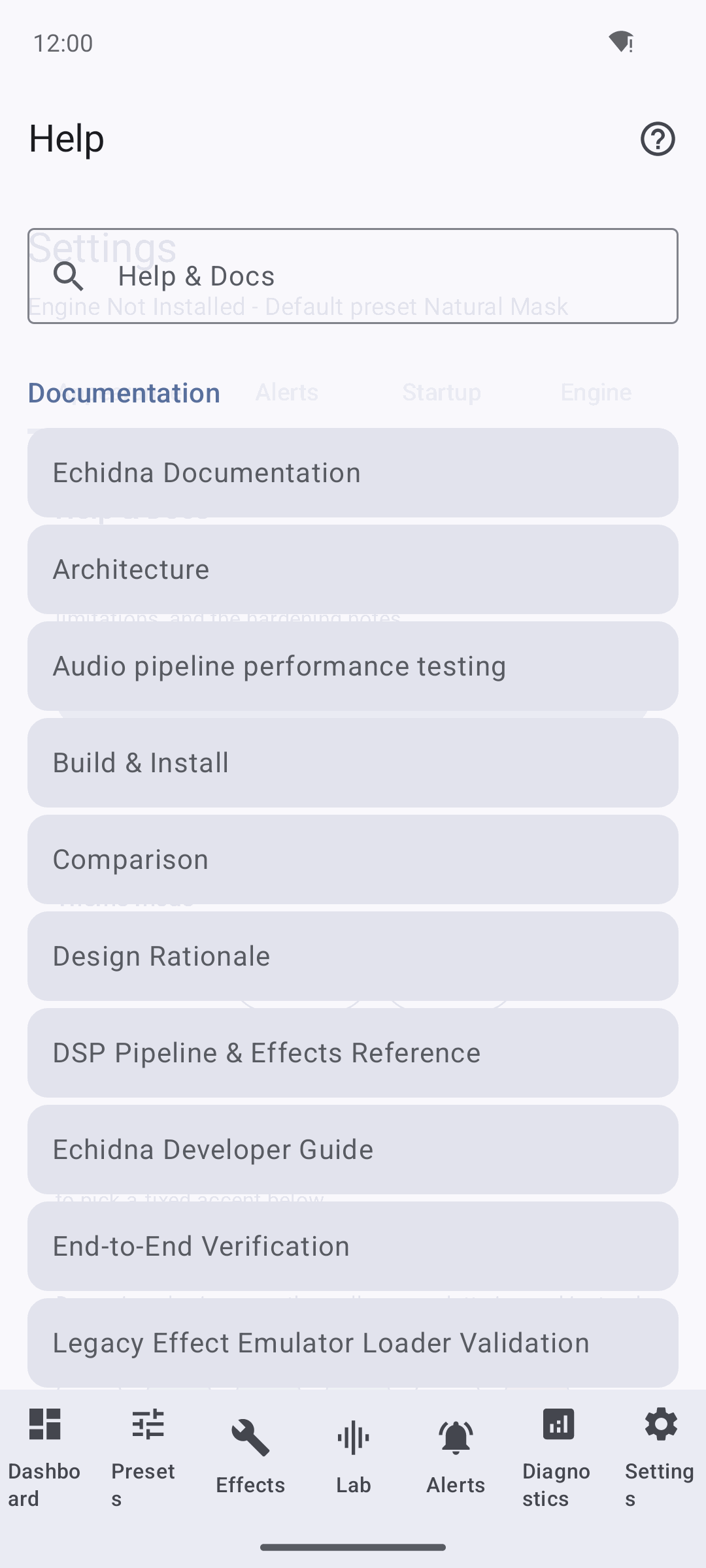
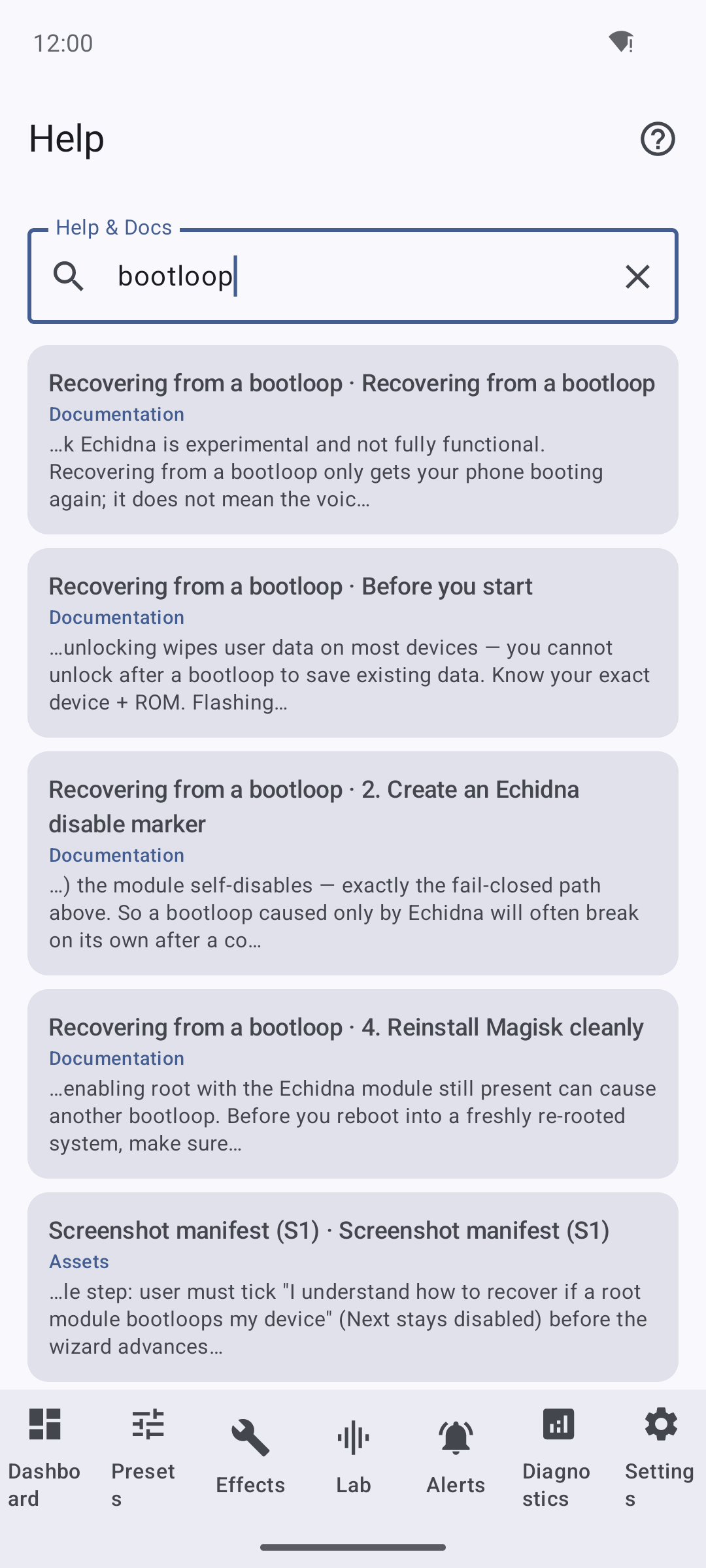
The Help tab bundles these docs and has native search. Type a term to filter across the staged pages; open a page to read it in-app. Images bundled with the docs render inline, and web-only diagrams (mermaid) show a caption pointing to the web docs.
For example, searching bootloop surfaces the recovery guidance without leaving the app:
See also¶
- Installer guide — the guided install/uninstall flow in detail.
- Recovering from a bootloop — recovery ladder.
- Developer Guide — build, topology, route contract, limitations.
- Verification — proven-on-device vs. host-only.
- Limitations — what Echidna does not claim.