
Connections, folders, and sessions
A connection is a saved configuration record. A folder organizes records but does not create a session. A session is the live runtime created when a connection opens. Keeping those concepts separate makes clone, import, reconnect, and detached-window behavior easier to reason about.
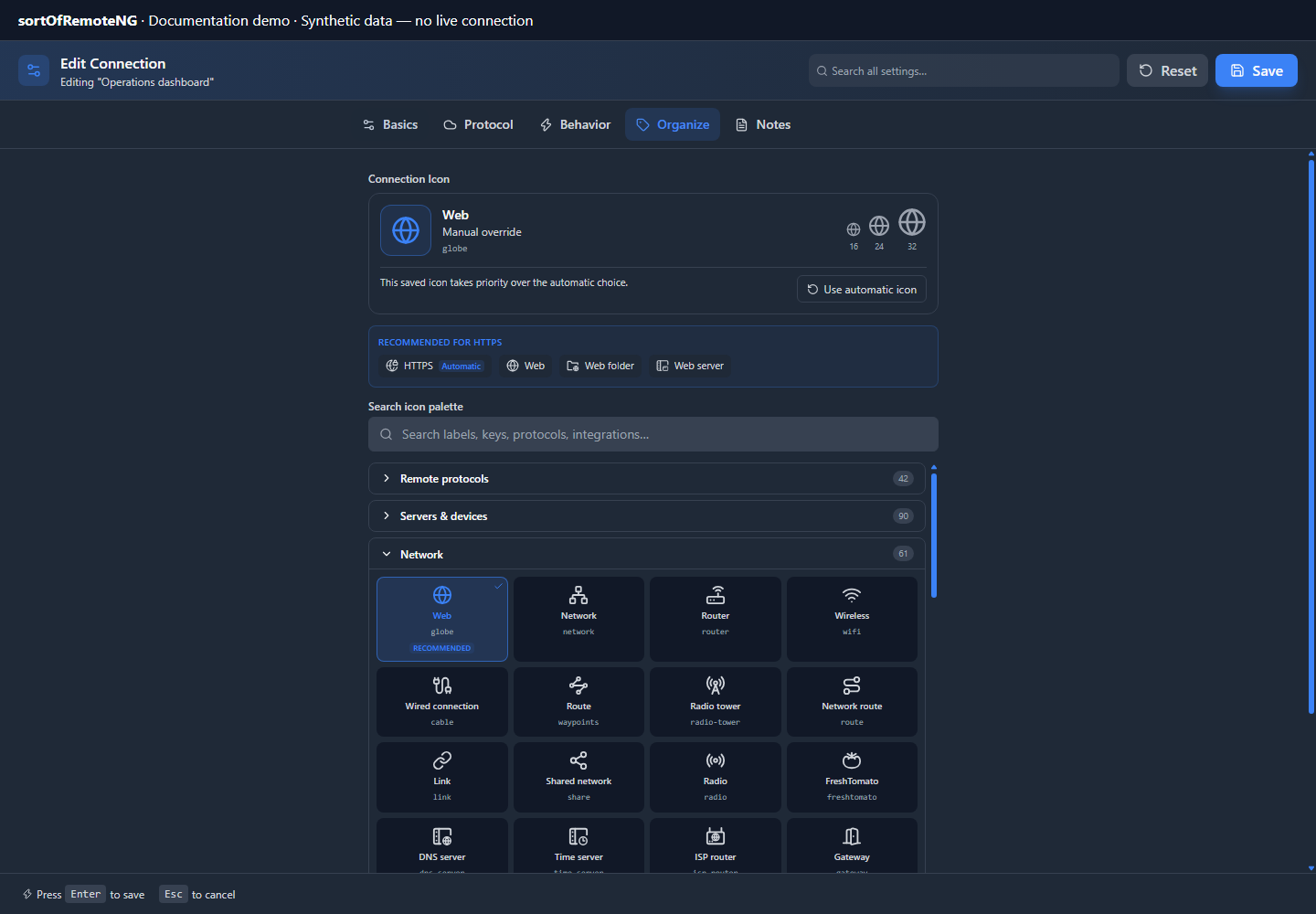
The tree supports nested folders, tags, favorites, custom icons, ordering, and color cues. These are organizational attributes; they do not change transport security or protocol behavior.
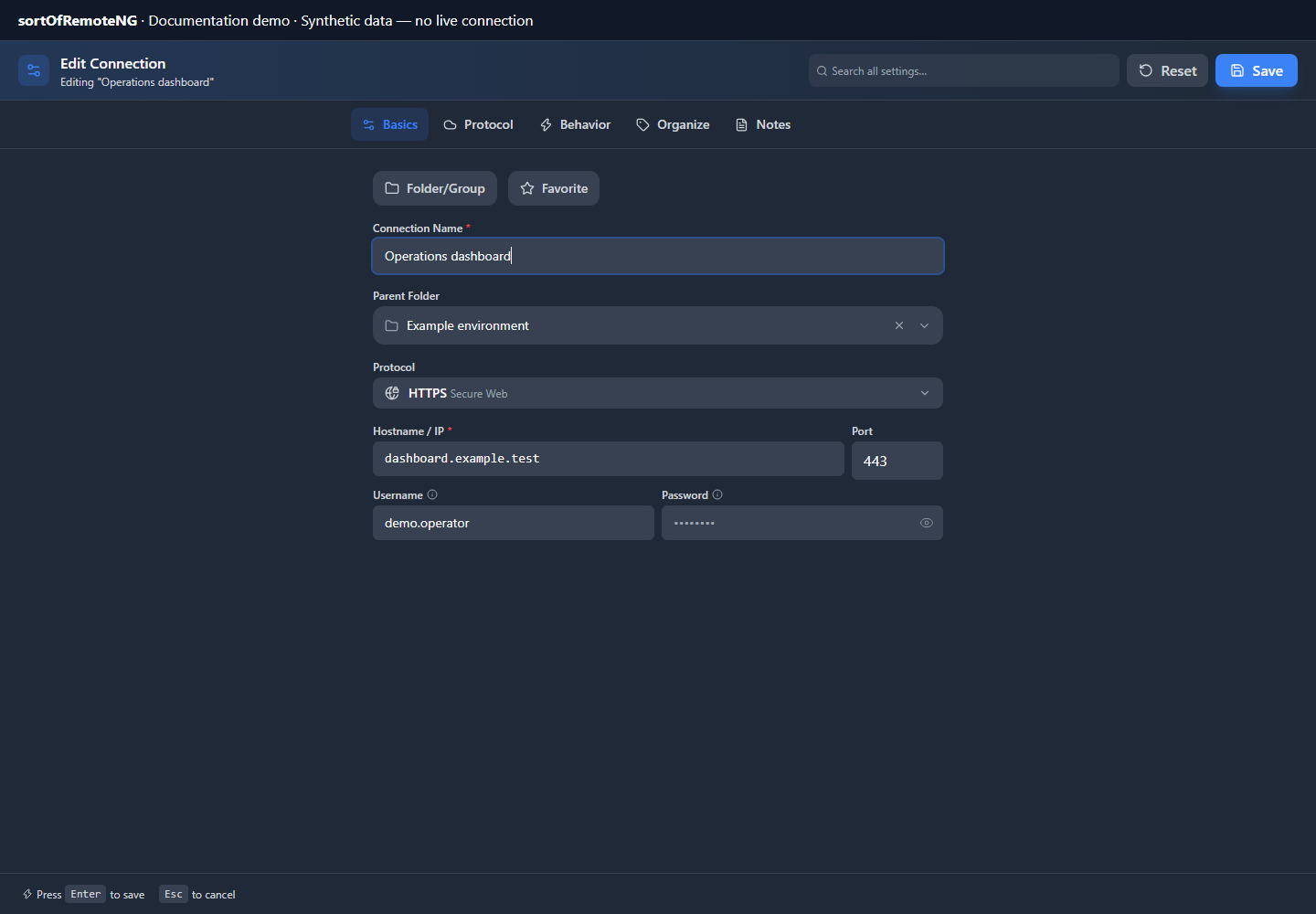
Editor map
| Tab | Purpose |
|---|---|
| Basics | Connection/folder type, name, protocol, target, port, and primary credentials |
| Protocol | Protocol-specific subtabs such as authentication, display, security, Network Path, and advanced controls |
| Behavior | Focus policy, close/retry settings, and versioned lifecycle automation rules |
| Organize | Parent folder, tags, icon, color, favorite state, and ordering metadata |
| Notes | Human-readable description and operational context |
Folders intentionally hide connection-only tabs. Protocol subtabs change when the protocol or target operating system changes.
Search settings instead of hunting
The editor’s settings search indexes visible labels, help copy, option text, safe current values, and protocol-aware destinations. Selecting a result opens the owning top-level tab and, when applicable, the exact Protocol subtab.
Sensitive keys—passwords, tokens, private keys, passphrases, secrets, recovery codes, and similar values—are excluded from the search index. Search metadata should navigate to a control without copying secret material into searchable text.
Protocol subtabs
RDP groups connection identity, authentication, display/input, resources, security, Network Path, network transport, advanced settings, and recovery. SSH groups authentication, terminal overrides, Network Path, connection networking, and recovery.
RDP frame delivery
RDP delivery is uncapped by default and adapts to session activity and available capacity. Idle sessions do not redraw. In Settings → RDP Defaults → Performance, enable Limit frame rate to set an optional maximum FPS, including values such as 144 or 240. Each connection can inherit this limit, disable it with Uncapped (adaptive), or specify its own maximum. Network speed presets only adjust visual options.
Older saved FPS numbers do not enable a limit automatically; opt in explicitly to apply them. Frame batching combines pending screen changes without a timed wait, and saved batch intervals are retained only for compatibility. The native Wgpu option currently uses a CPU compatibility fallback; frontend WebGL and WebCodecs GPU capabilities are separate.
The dedicated Network Paths page explains why routing is separate from ordinary TCP, gateway, and terminal settings.
Cloud connections use a provider subtab whose visible fields map directly to the provider-specific non-secret saved settings. Their service-account JSON, client secret, API token, or API key remains in the protected connection credential boundary. OVHcloud uses three masked inputs that serialize only inside that protected credential. See Cloud & Lights-Out Connections for required fields, legacy-record migration, and reopen behavior.
Serial device selection
Serial connections do not use a hostname, TCP port, proxy, or Network Path; the Connection subtab’s “Local serial device” card owns the port instead. Its Device selection control chooses how the port is picked:
| Mode | Saved as (serialSettings.portSelection.mode) |
What you fill in |
|---|---|---|
| Specific device path | fixed |
The exact device (COM3, /dev/ttyUSB0), typed or picked after Scan devices. |
| First detected serial device (USB preferred) | firstAny |
Nothing; the port is resolved when you connect. |
| First USB serial device | firstUsb |
Nothing; only USB adapters qualify. |
| First device matching a filter | match |
At least one of Vendor ID (hex), Product ID (hex), or Name contains. Picking a scanned device fills the IDs. |
The three automatic modes are meant for USB adapters that get a different COM
number on every machine or USB socket: the saved connection no longer carries a
device name, so it keeps working after the adapter moves. The port is resolved
fresh on every connect and reconnect, ports already held by another session in
this app are skipped, and the chosen port is shown in the session header and in
the session status line. Preview runs the same resolution without opening
the port, so you can check which device would be used before saving. Vendor and
product IDs accept 0x0403, 0403, or plain decimal and are stored as
numbers; an unparseable value shows an inline hint and is not saved.
The device path typed for Specific device path is kept while you try an automatic mode, so switching back restores it. Connections saved before this control existed reopen as Specific device path with their original device. See Protocols for the ordering rules the resolver applies.
Save and reopen contract
Stable references—not display names—should be persisted for reusable collections such as chains, profiles, VPN connections, and parent folders. The editor keeps an unavailable current ID visible as an orphan so a deleted dependency can be cleared or replaced instead of silently disappearing.
Before connecting a critical target:
- Save the connection.
- Reopen it and confirm the selected protocol, IDs, and overrides.
- Review any Network Path diagnostics.
- Connect and inspect the resulting session rather than assuming editor presence equals runtime support.
SSH resilience and continuity
New installations enable recovery for an established SSH session by default. The bounded policy makes up to 20 attempts, starts at 2 seconds, doubles the delay, and caps each delay at 30 seconds. This gives a host and its SSH daemon time to complete an ordinary reboot without retrying at a tight fixed interval. Existing explicit settings and per-connection retry overrides remain authoritative.
SSH keepalive is enabled by default with a 30-second interval and three probes. Keepalive helps a live transport survive idle NAT and firewall timeouts; it cannot preserve a TCP connection while the remote machine is rebooting. When an established transport is lost, recovery creates a new authenticated SSH transport and a new PTY after the host becomes reachable.
The client does not currently provision or automatically attach tmux, GNU screen, or Mosh. Consequently, a reconnect restores access to the host but cannot resurrect the old remote shell or any foreground process that died with it. Start important long-running work inside a server-side session manager if it must survive a network interruption or client restart.
Renderer remounts can reattach to a still-live native backend actor within the same application process. A full application exit or local machine reboot destroys that in-memory actor; Reconnect sessions on reload can establish a new connection from persisted metadata, but it is not process continuity.
Automatic transport recovery applies only after a session was successfully established. Authentication failures, rejected or changed host keys, invalid routes, and user-requested disconnects require user action and must not be retried as transient network loss. This avoids repeated credential attempts and account-lockout pressure.
Connection-level safety
- Use per-connection trust exceptions sparingly; prefer the central trust policy.
- Keep descriptive notes free of credentials.
- Treat exported connection files as sensitive whenever credential inclusion is enabled.
- Use folders and tags for policy grouping, but do not treat them as access controls.
- Review behavior actions that can close sessions, run scripts, or manipulate windows.